Skip to content
Lifetime access with weekly updates.

Laravel SaaS Starter Kits to Build Faster

Production-ready Laravel 13 starter kits with multi-tenancy, authentication, roles & permissions and localization already working. Every kit runs on the same backend, and you pick Vue, React or Svelte for the frontend.
  • Multi-tenancy
  • Auth & passkeys
  • Roles & permissions
  • 17 languages
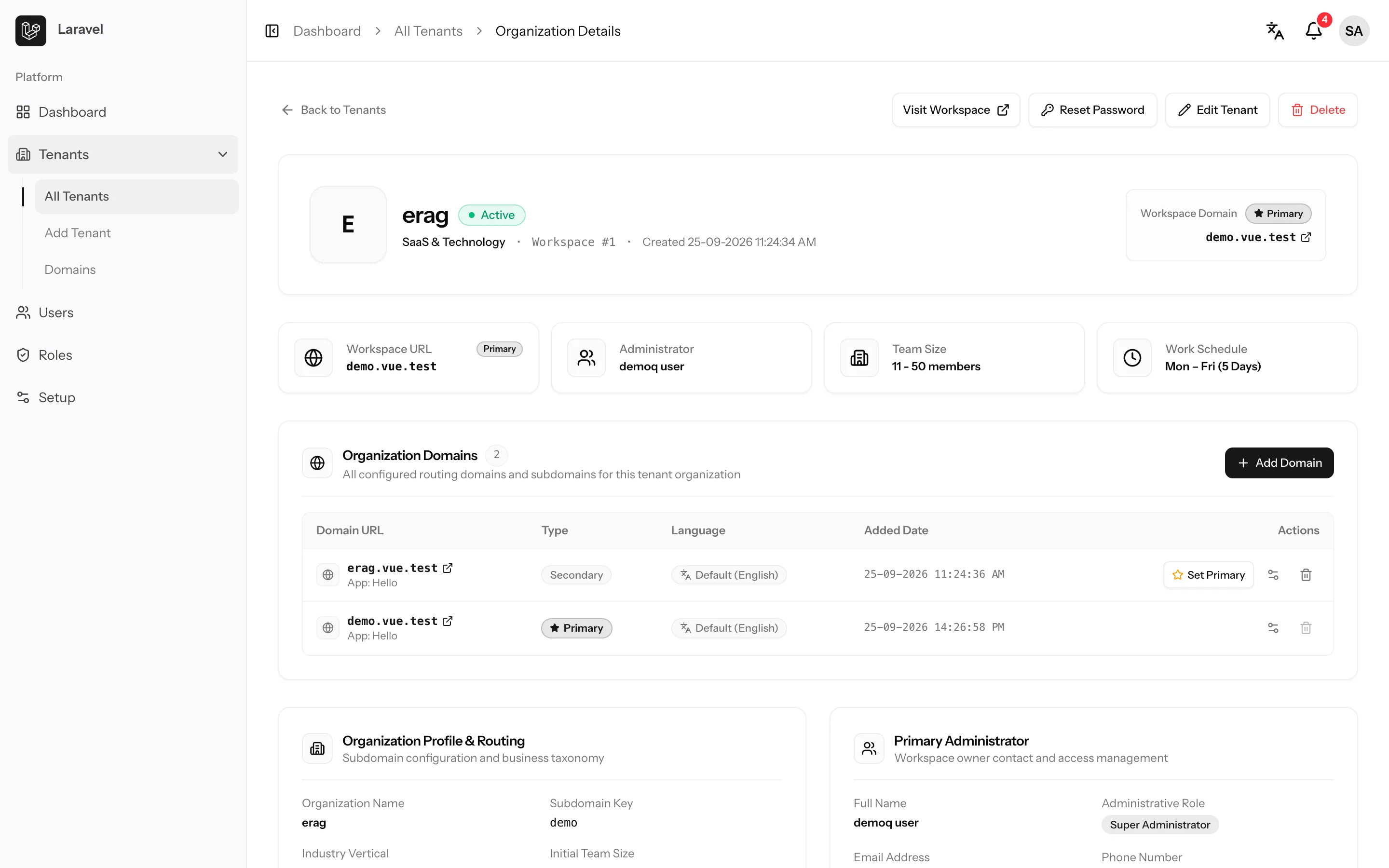
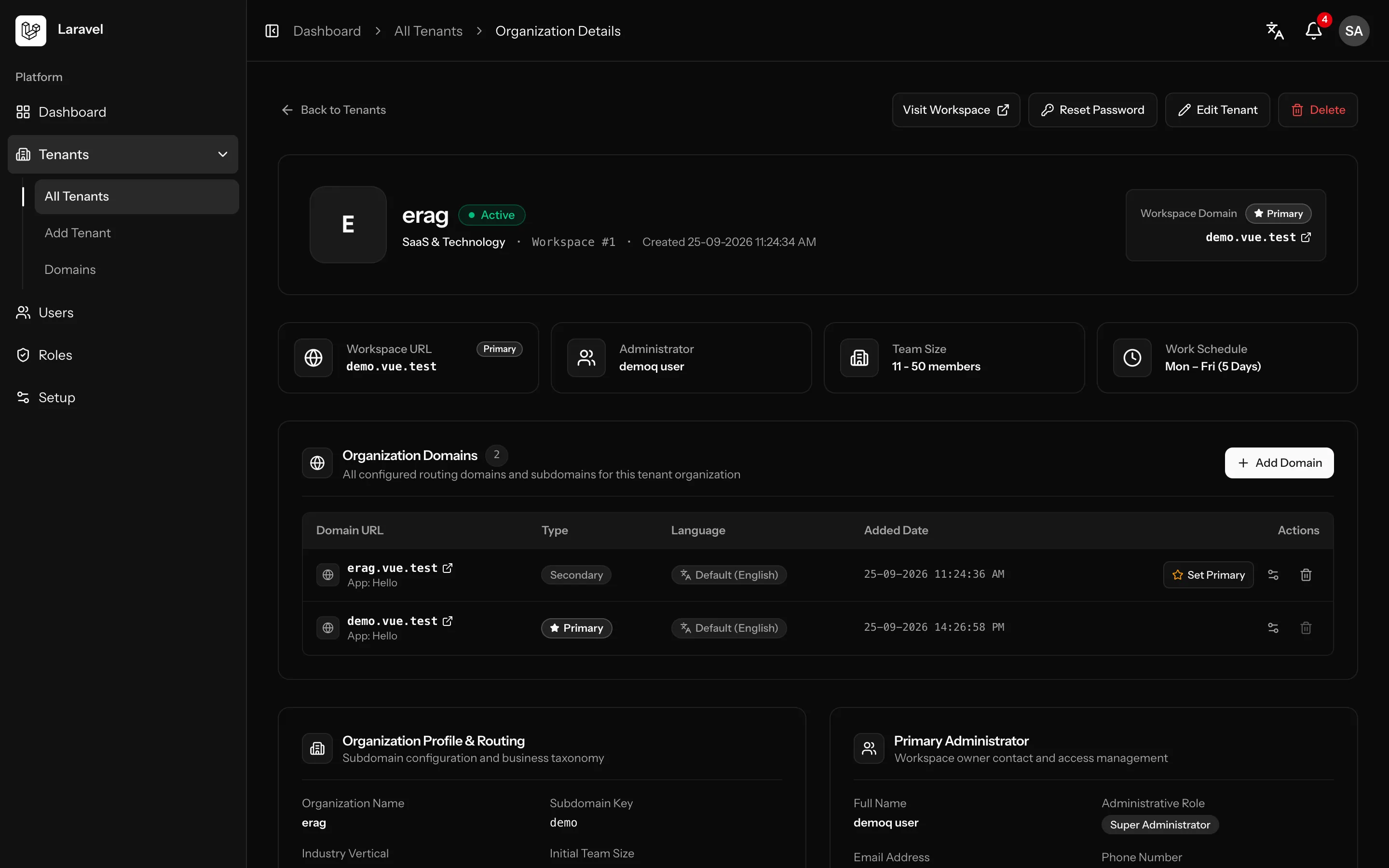
Vue Starter Kitvue.test/tenants/1
Vue Starter Kit: Tenant details screenVue Starter Kit: Tenant details screen
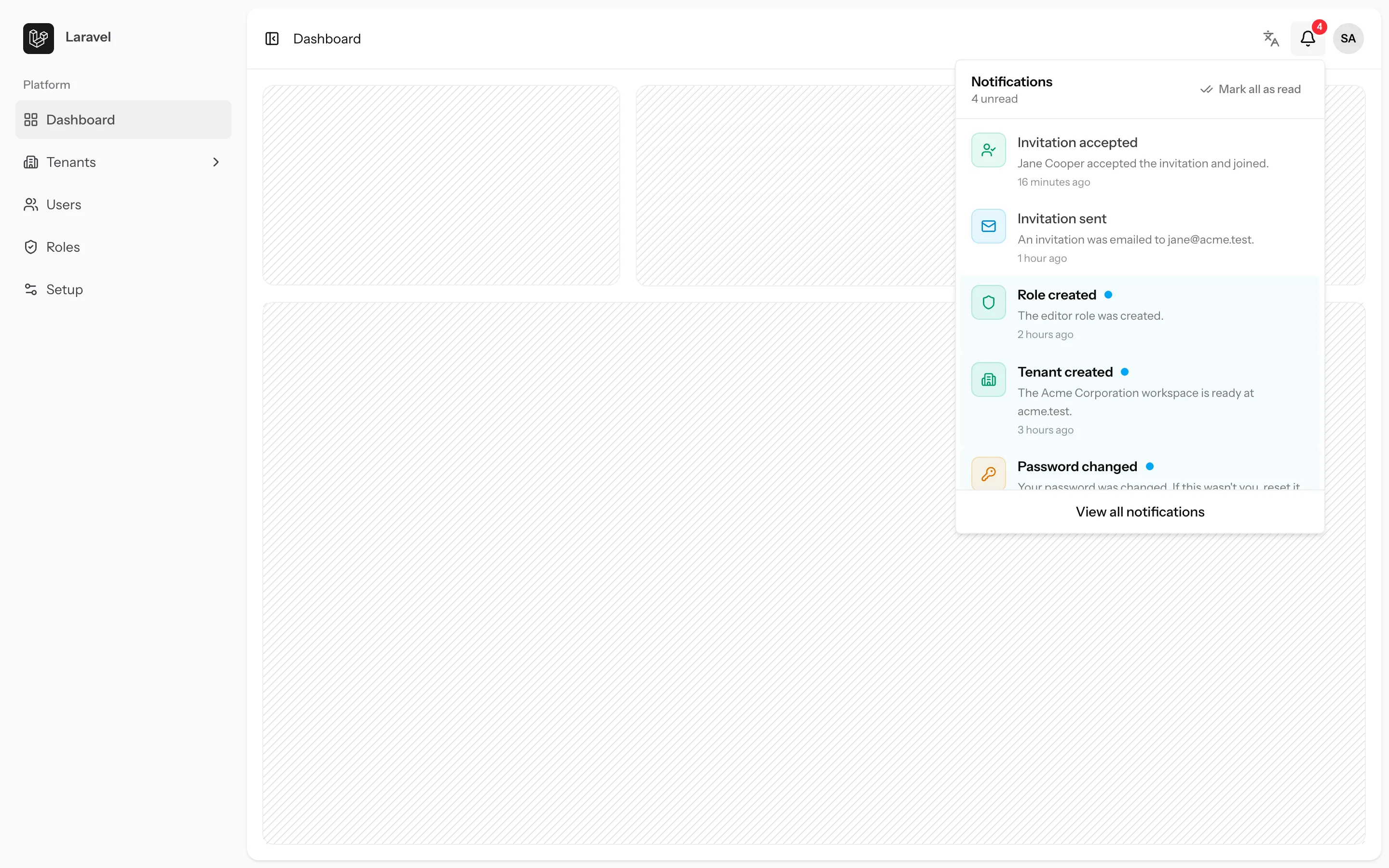
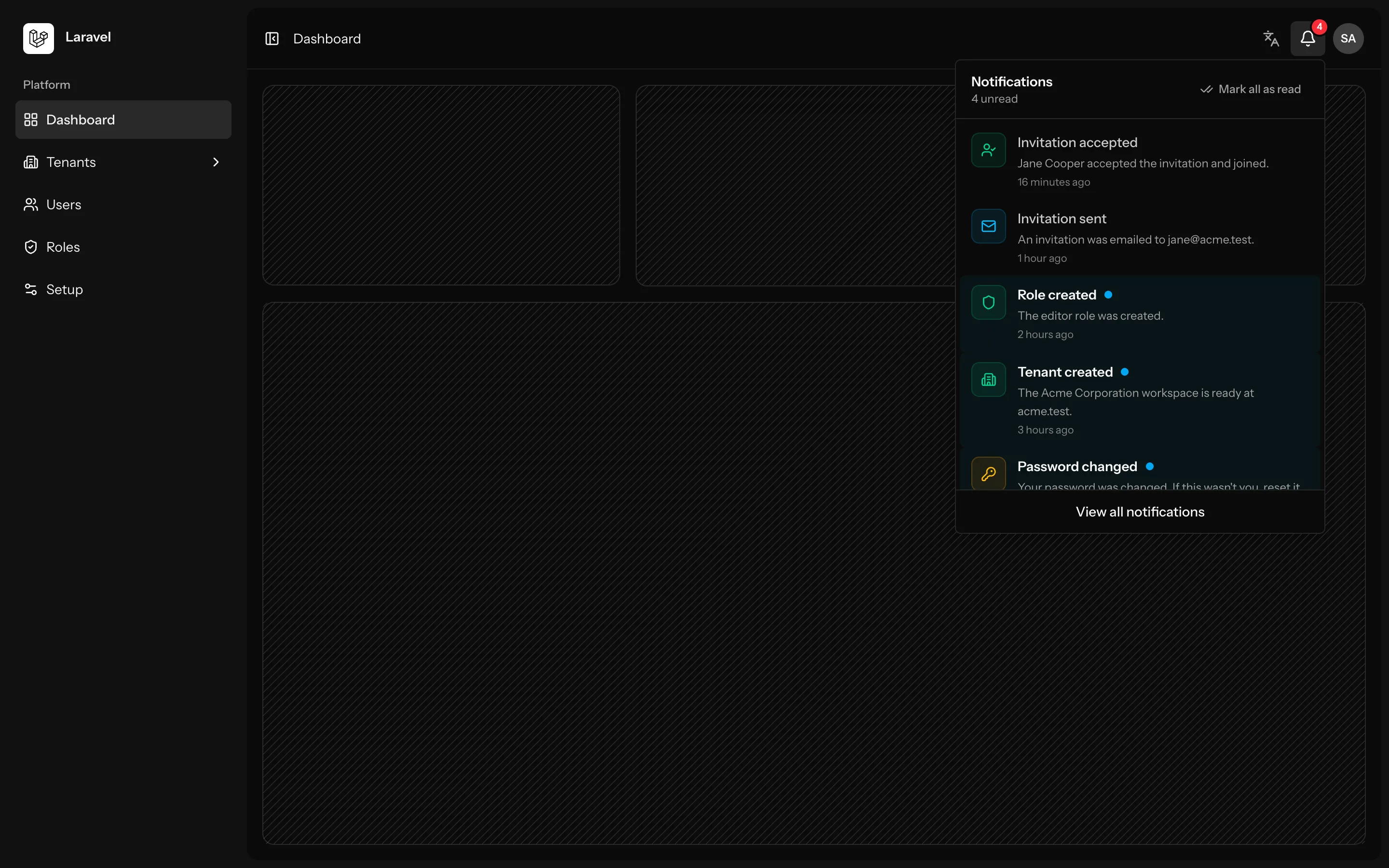
React Starter Kitreact.test/dashboard
React Starter Kit: Notifications screenReact Starter Kit: Notifications screen
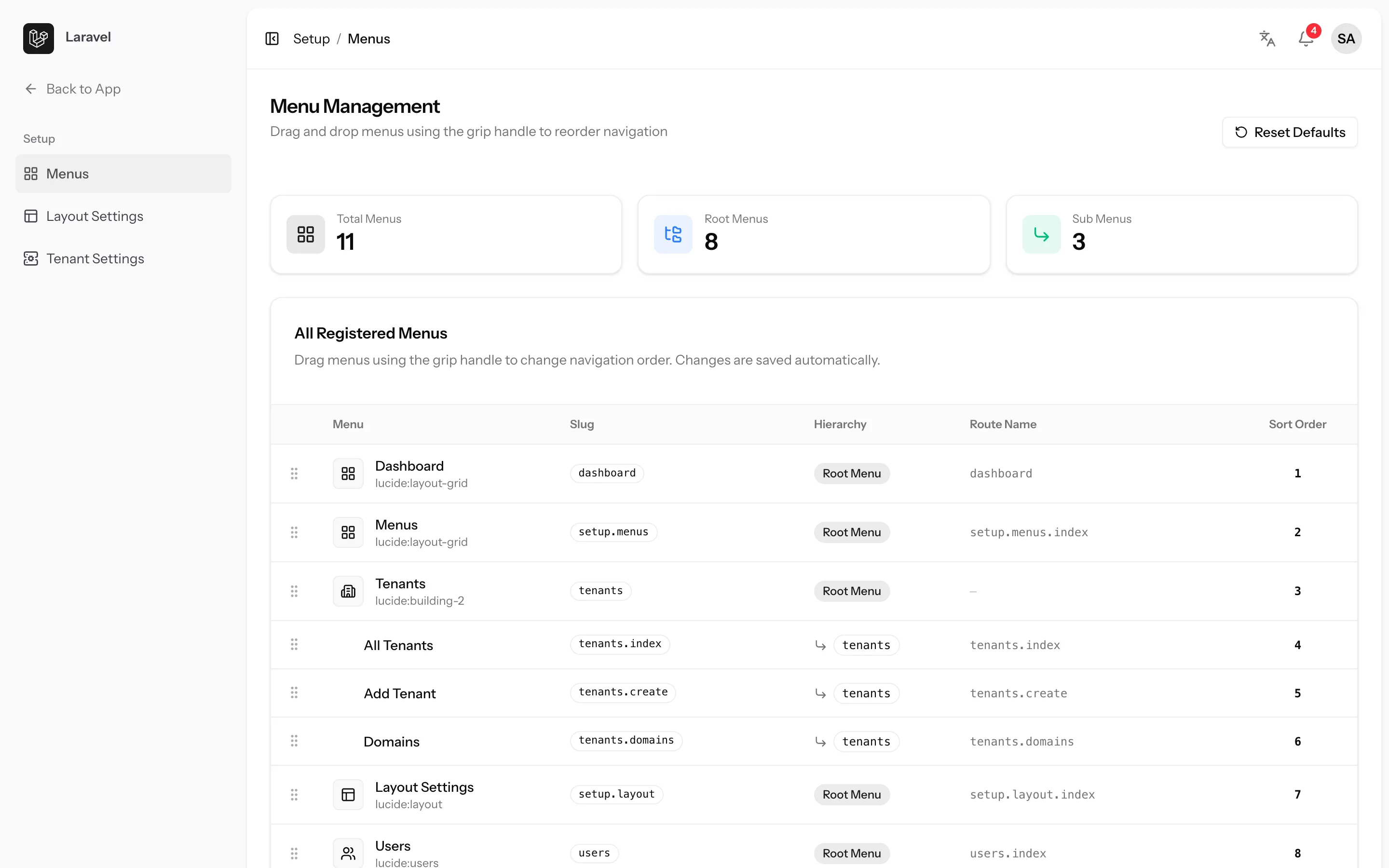
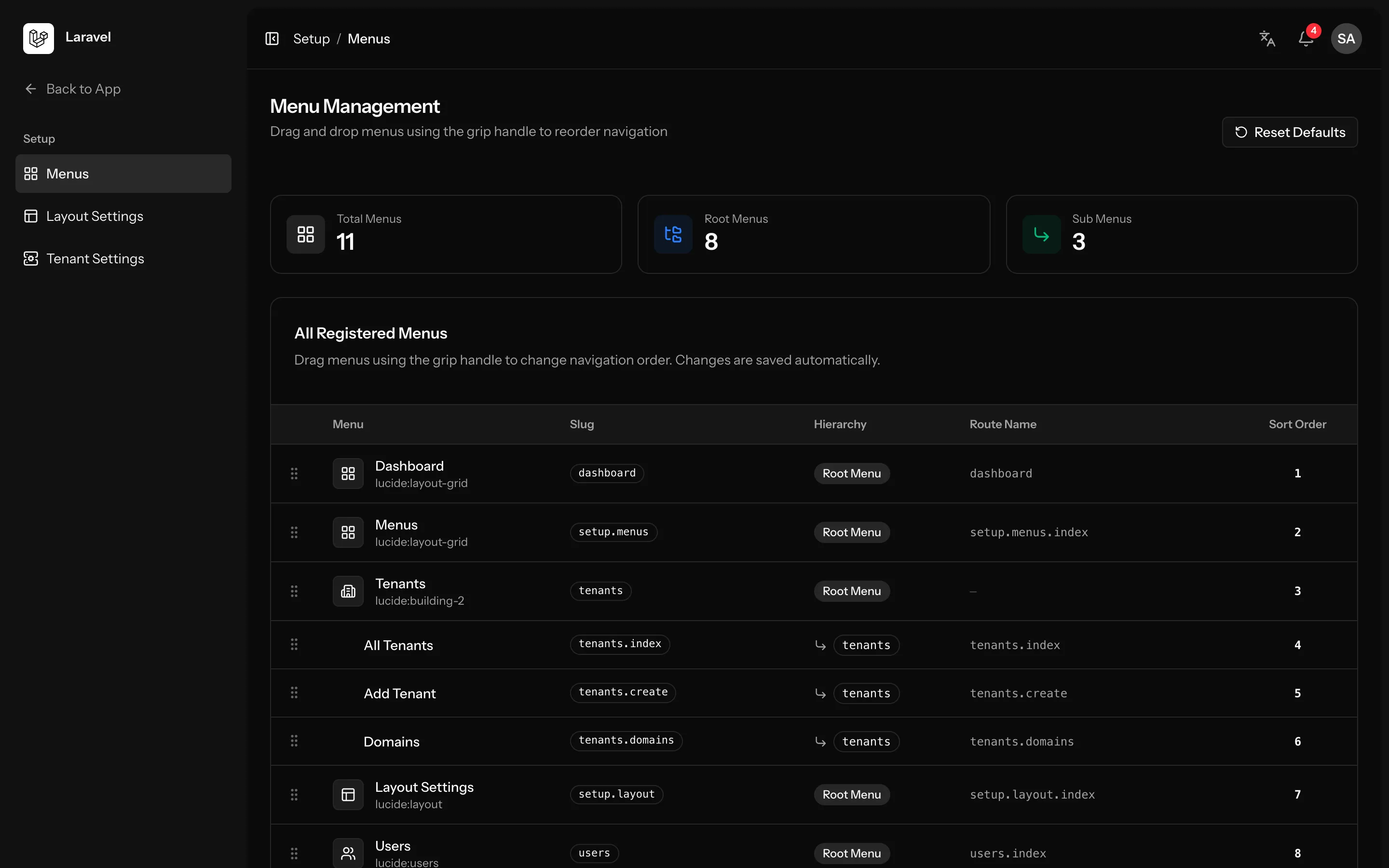
Svelte Starter Kitsvelte.test/setup/menus
Svelte Starter Kit: Menu builder screenSvelte Starter Kit: Menu builder screen

Live preview

See every kit in action

Real screenshots from the Vue, React and Svelte kits. The same Laravel backend and the same screens, built with the frontend you prefer.
Screens
Layouts
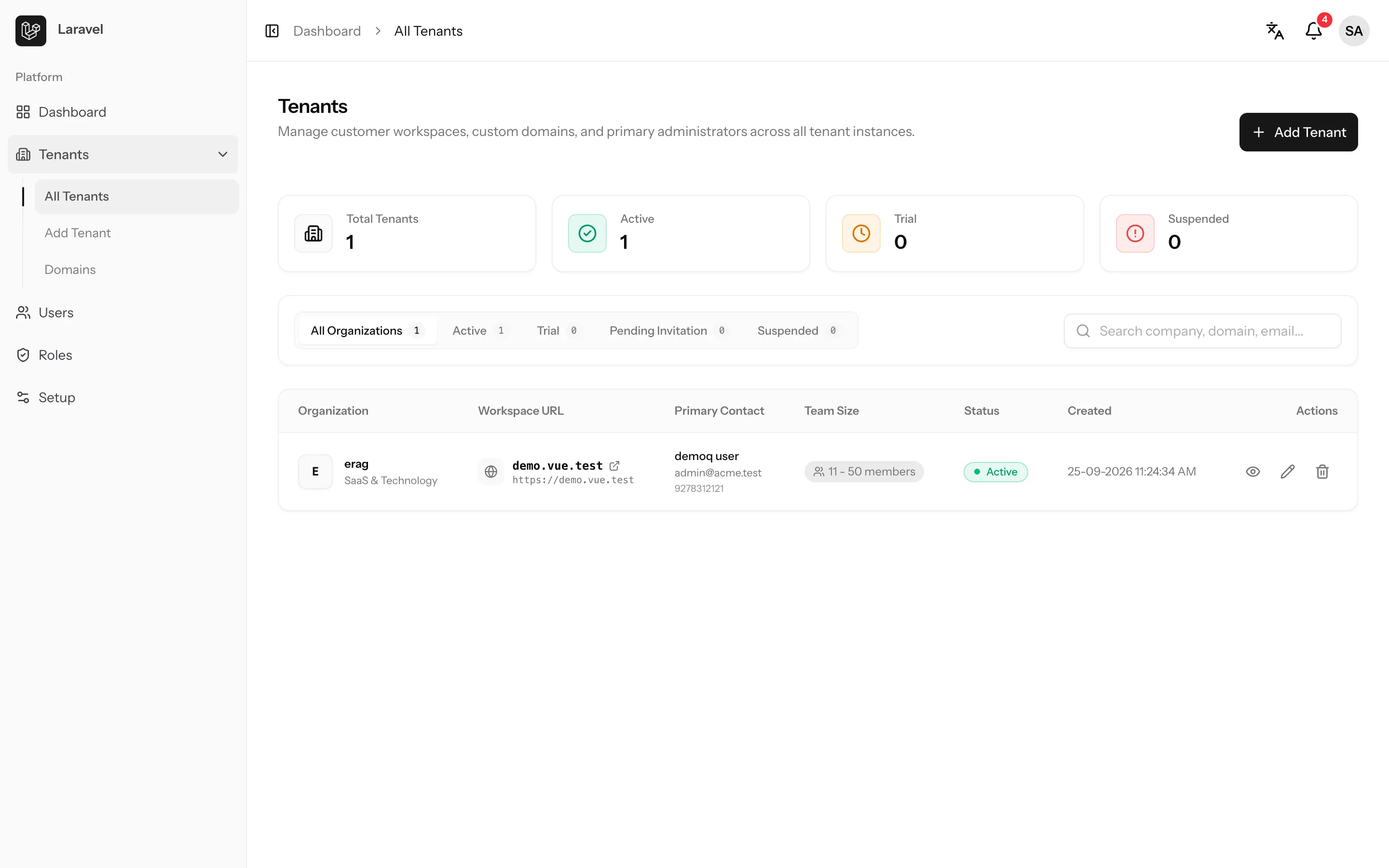
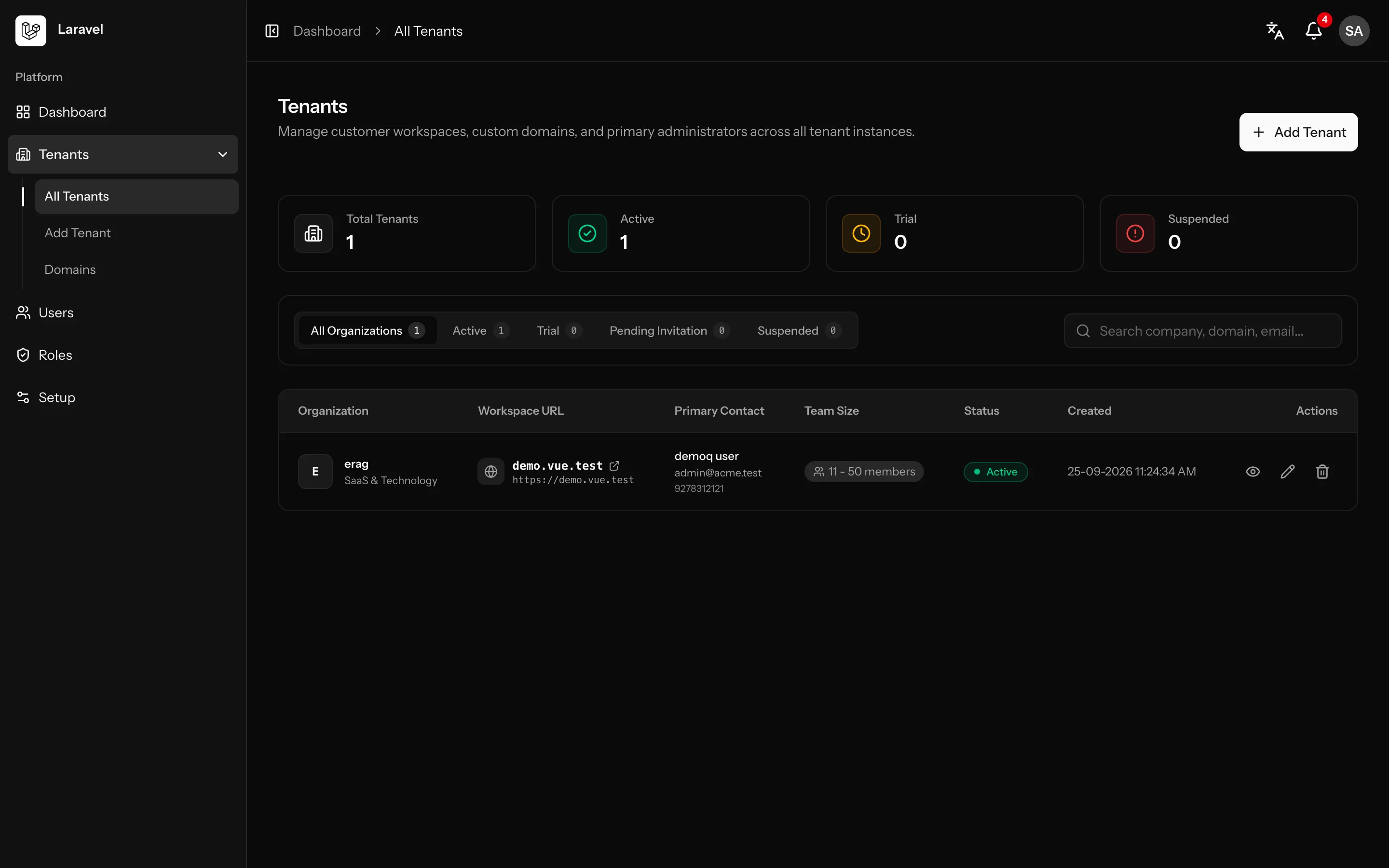
Vue Starter Kit: Tenants screenVue Starter Kit: Tenants screen
Every tenant workspace with status filters, search, stats and quick actions.

Built on the current Laravel stack

Backend
  • Laravel 13
  • PHP 8.4+
  • Inertia v3
  • Fortify
  • Wayfinder
  • Spatie Data
  • Spatie Permission
  • stancl/tenancy
  • Laravel Lang Sync Inertia
  • TypeScript Transformer
Frontend
  • Vue 3.5
  • React 19
  • Svelte 5
  • TypeScript
  • Tailwind CSS v4
  • Vite 8
  • shadcn UI
  • Lang Sync Inertia
  • Lucide Icons
  • Iconify
  • Laravel Passkeys
Quality & tooling
  • Pest 5
  • Larastan
  • Pint
  • ESLint
  • Prettier
  • vue-tsc · tsc · svelte-check
  • Laravel Boost
  • Laravel Pail
  • Laravel Sail

What is SaaS Laravel?

A Laravel SaaS starter kit for Vue, React and Svelte

SaaS Laravel is a set of Laravel SaaS starter kits for developers and small teams who want to launch a multi-tenant product without rebuilding the same foundation every time. Every kit runs on Laravel 13 and Inertia v3, and you pick the frontend: Vue 3.5, React 19 or Svelte 5, each with TypeScript and Tailwind CSS v4.

The backend is the same in all three kits. Each customer gets its own database and subdomain, sign-in runs on Laravel Fortify with two-factor authentication and passkeys, roles and permissions use spatie/laravel-permission, and the interface comes in 17 languages.

You pay once through GitHub Sponsors and keep lifetime access to the kit repository, including the updates we push every week. SaaS Laravel is built and maintained by ERAG.

What you get

A working, signed-in app from the first install

Install a kit and you start with a working product, not an empty Laravel project.

Every kit comes with the same production-ready Laravel backend and a finished Vue, React or Svelte frontend. Sign-in, tenant management, users and settings already work end to end, so you can spend your first day on the features that make your product yours.

Ready on install

  • Multi-tenant workspaces with a database per tenant
  • Authentication with two-factor codes and passkeys
  • Admin dashboard with permission-aware menus
  • Users, roles and permissions with queued invitations
  • Profile, security, appearance and layout settings
  • 17 languages, chosen per user and per domain
Read the documentation →

Configurable layouts

Sidebar or header app layouts and card, simple or split sign-in pages.

Fully customizable

Every file lives in your app, so you can change whatever you like.

Vue, React or Svelte

The same Laravel backend, with the frontend your team already knows.

Tailwind CSS v4

Styled with Tailwind CSS v4 utilities and design tokens.

TypeScript supported

Typed routes with Wayfinder and types generated from Data classes.

shadcn UI

shadcn-vue, shadcn/ui and shadcn-svelte components in every kit.

Built-in CI workflow

A GitHub Actions workflow runs the test suite on pushes to main and on pull requests.

Light and dark

Light, dark and system appearance, remembered in the browser.

Why SaaS Laravel

The boring parts of SaaS, done properly

Start from a codebase that already handles the hard, repetitive parts of a multi-tenant product, and spend your time on what makes yours different.

Skip months of groundwork

Tenants, domains, authentication, roles, invitations and maintenance mode are already built, wired up and covered by tests.

Modular Laravel backend

Each feature lives in Modules/<Module> with thin controllers, services, Data classes and its own routes.

Typed from PHP to TypeScript

Wayfinder generates typed route functions and Spatie Data classes become TypeScript types for your pages.

Real multi-database tenancy

stancl/tenancy gives every tenant its own database, identified by subdomain, with separate central and tenant guards.

Tested and linted

Pest feature tests, Larastan, Pint, ESLint and Prettier run with a single composer test command.

Ready for AI agents

Laravel Boost guidelines and project skills help coding agents stick to the conventions the codebase already uses.

Features

Everything a multi-tenant SaaS needs

Real screens from the kits. Every feature ships in the Vue, React and Svelte frontends.

Multi-tenancy

A separate database for every tenant

Create a tenant and the kit provisions its database, runs tenant migrations, seeds roles, permissions and menus, then creates the primary administrator.
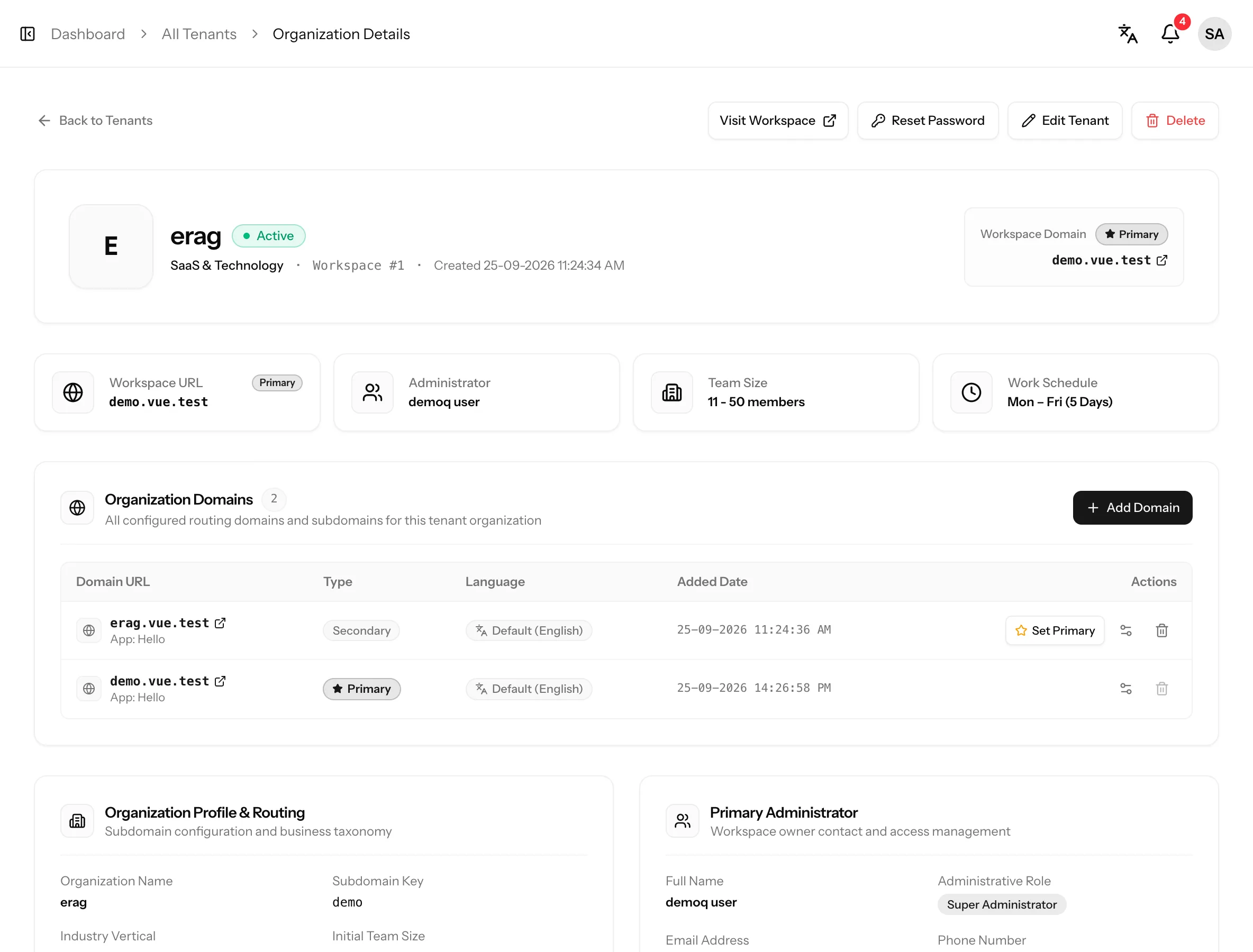
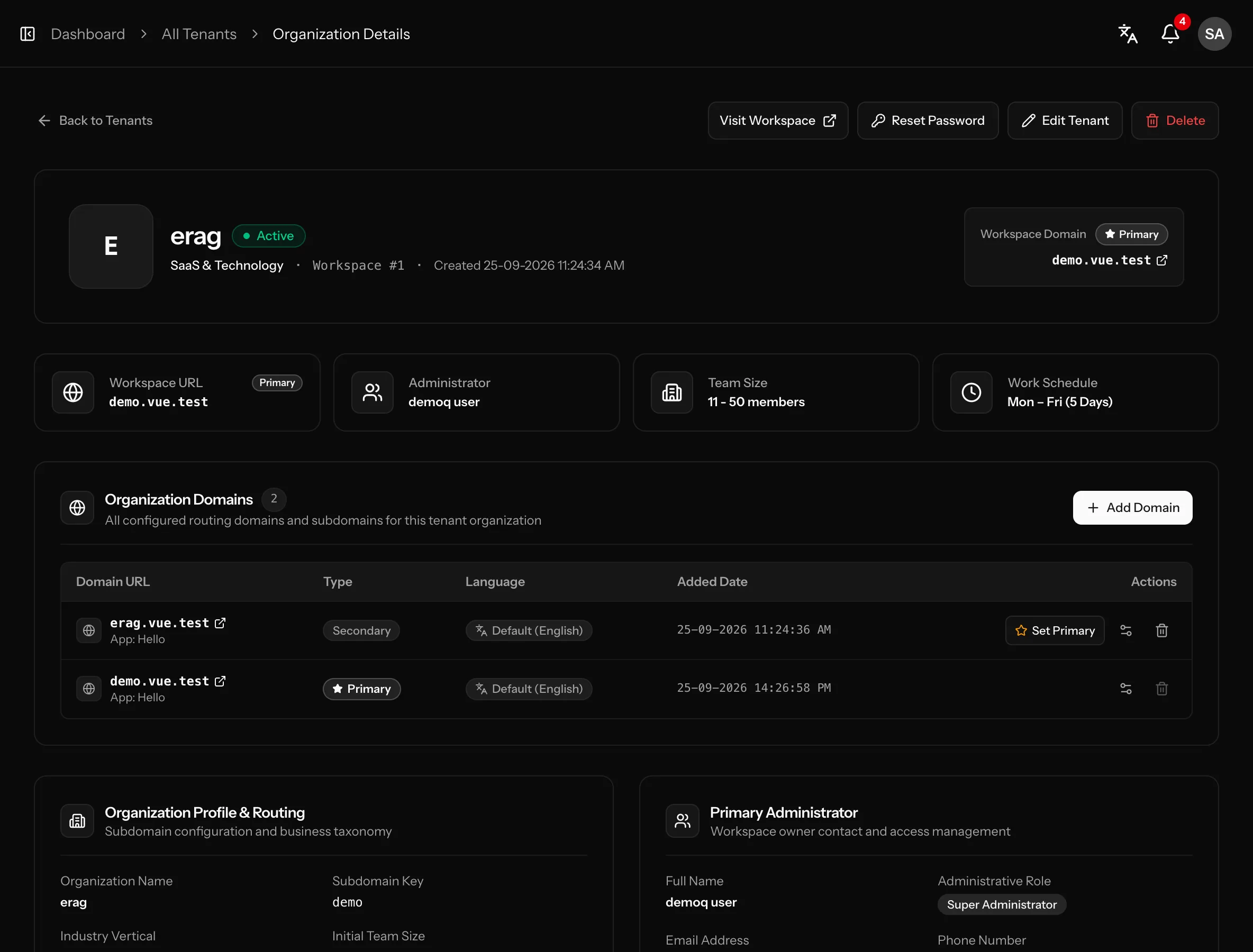
  • Subdomain identification on <sub>.APP_DOMAIN
  • Workspace status: Active, Trial, Pending Invitation, Suspended
  • Signed invitation link for the tenant admin, with resend
  • Admin password reset by email link or set manually
  • Tenant list with search, status filter and stats
  • Tenant profile: industry, team size, work week, registration and tax numbers
Read the Multi-tenancy docs →
A separate database for every tenant: screenshot from the Vue kitA separate database for every tenant: screenshot from the Vue kit

Domains

Brand and configure every domain

Each tenant can have primary and secondary domains. Every domain gets its own app name, default language and sign-in features.
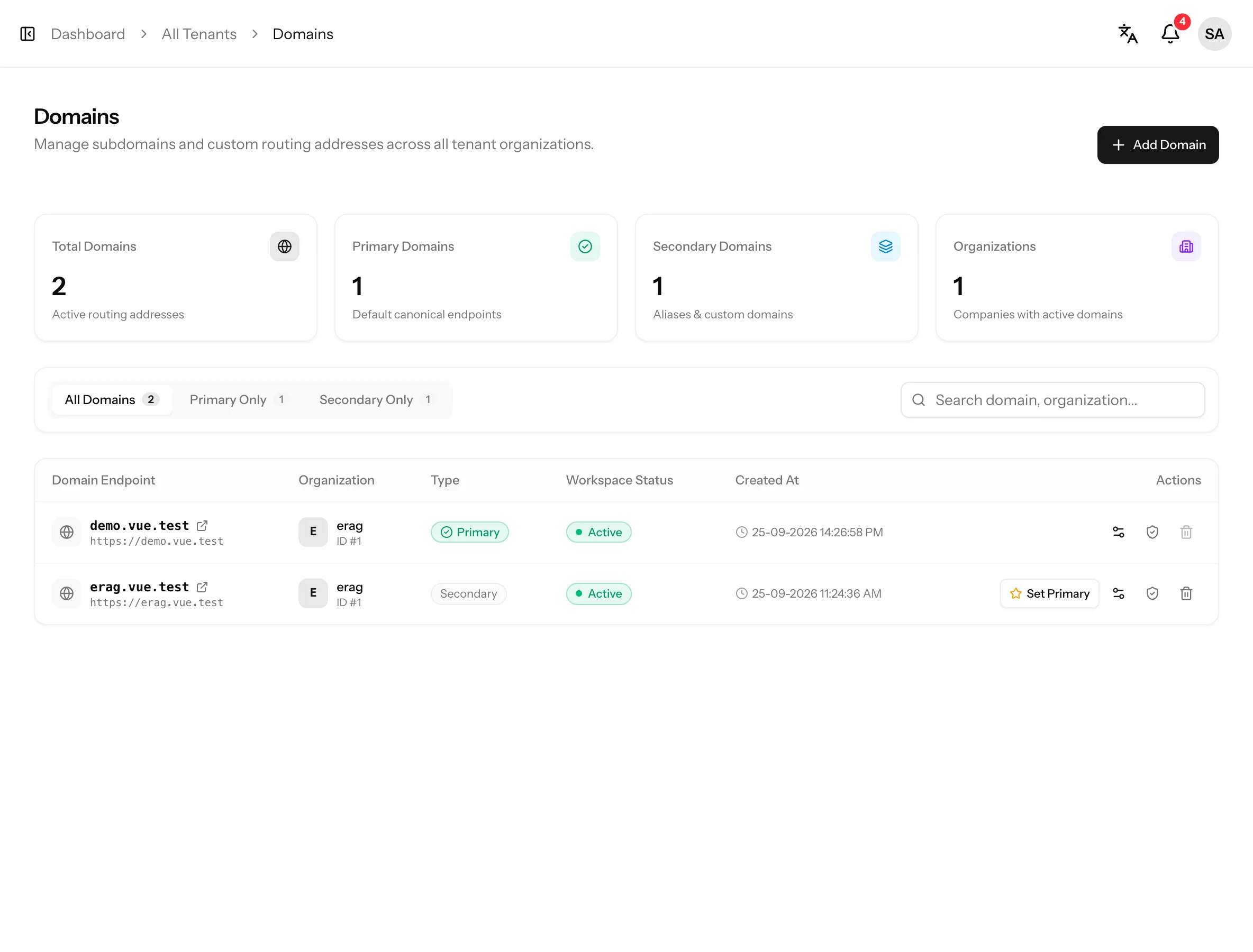
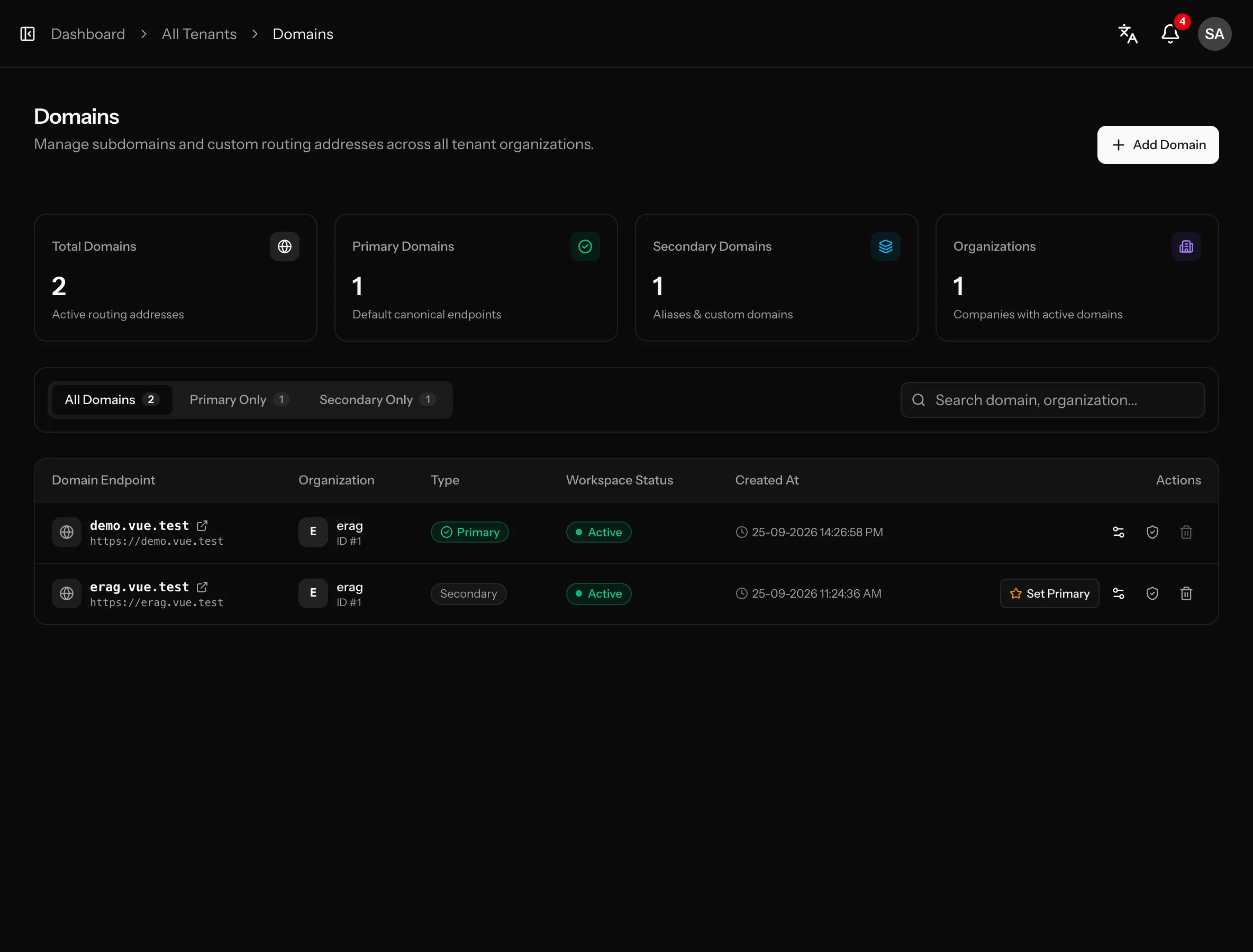
  • Add domains, set the primary, protect it from deletion
  • App name shown in the sidebar, auth pages and emails
  • Default language per domain, users can still choose their own
  • Per-domain registration, password reset, 2FA and passkeys
  • Domains page with search and primary / secondary filters
  • Language shown for every domain in the domains table
  • All domains of a tenant share the same tenant database
Read the Domains docs →
Brand and configure every domain: screenshot from the Vue kitBrand and configure every domain: screenshot from the Vue kit

Users, roles & permissions

Access control that's ready on day one

Spatie roles and permissions for both the central app and every tenant. System roles receive their default permissions automatically.
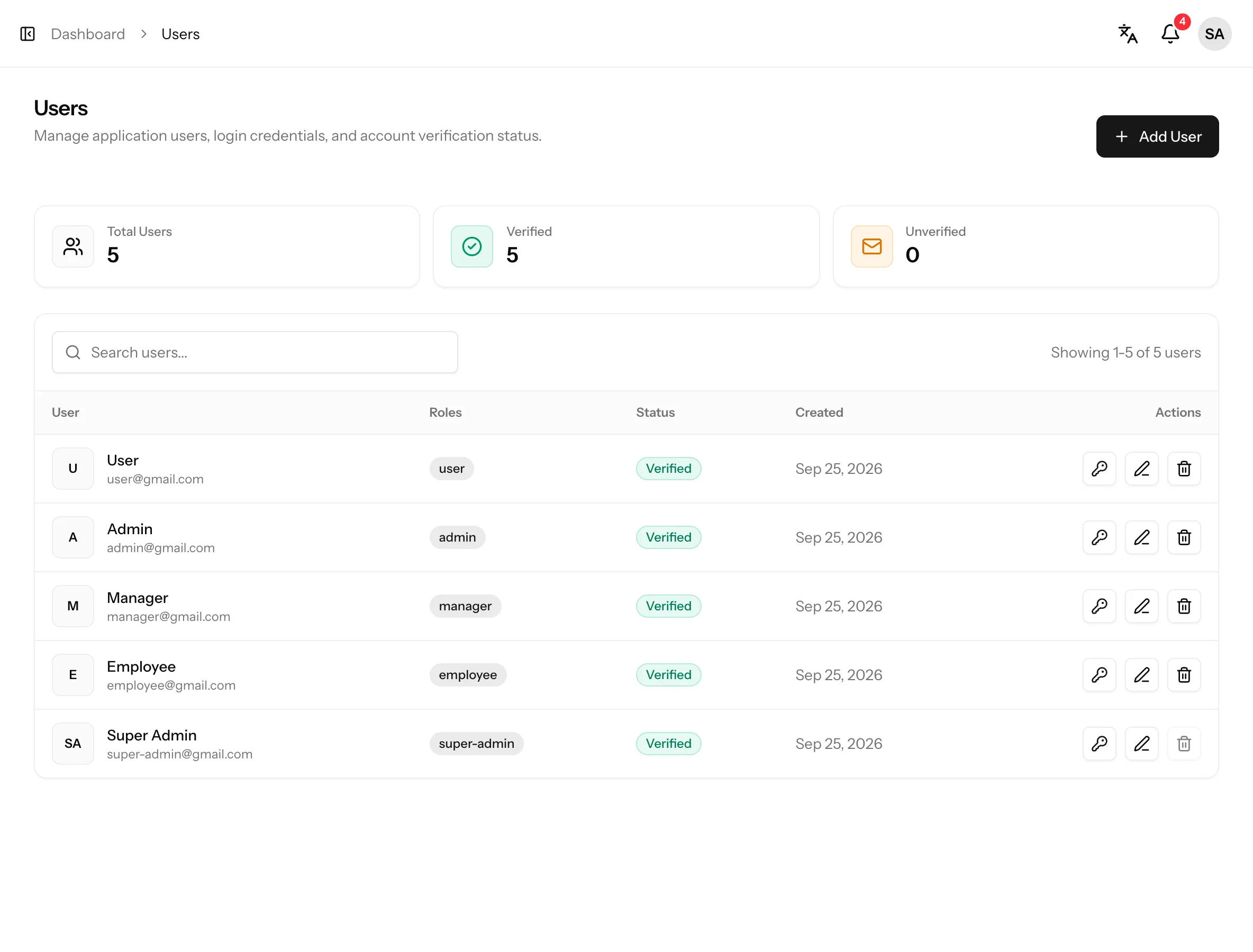
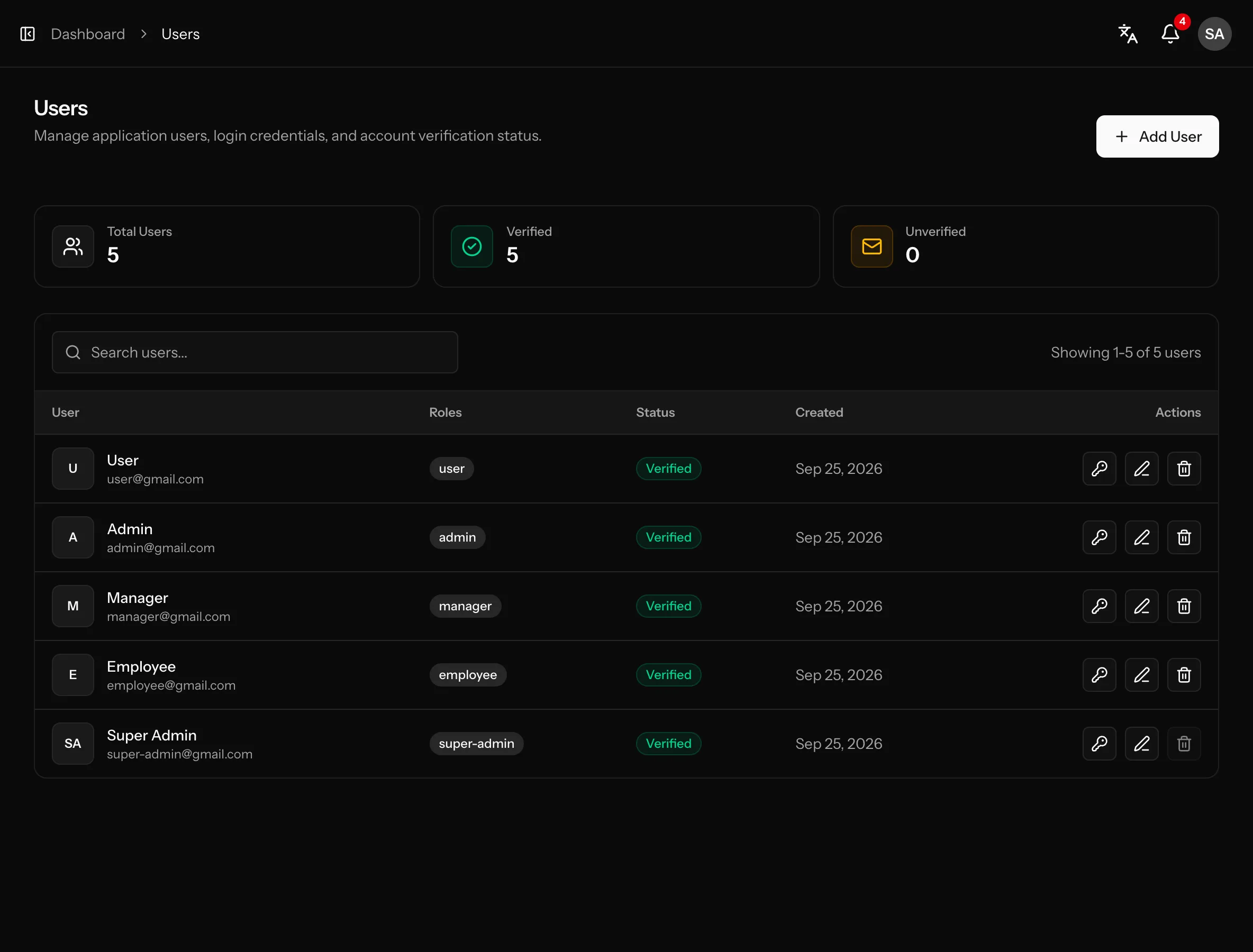
  • Users list with search, stats and pagination
  • Role select on create and edit. System roles get their default permissions, custom roles start with none
  • Assign individual permissions per user, grouped by module
  • Queued invitation emails with a signed 7-day link and an “Invitation pending” badge
  • Protected system roles plus your own custom roles
  • Central and tenant permissions in config/permissions/*.php and config/permissions/tenant/*.php
  • Super admin passes every permission check
  • Permission-aware menus and buttons in the frontend
Read the Users, roles & permissions docs →
Access control that's ready on day one: screenshot from the Vue kitAccess control that's ready on day one: screenshot from the Vue kit

Notifications

Keep every user in the loop

In-app notifications are stored in the database of the central app and every tenant, and show up in the header bell on every page.
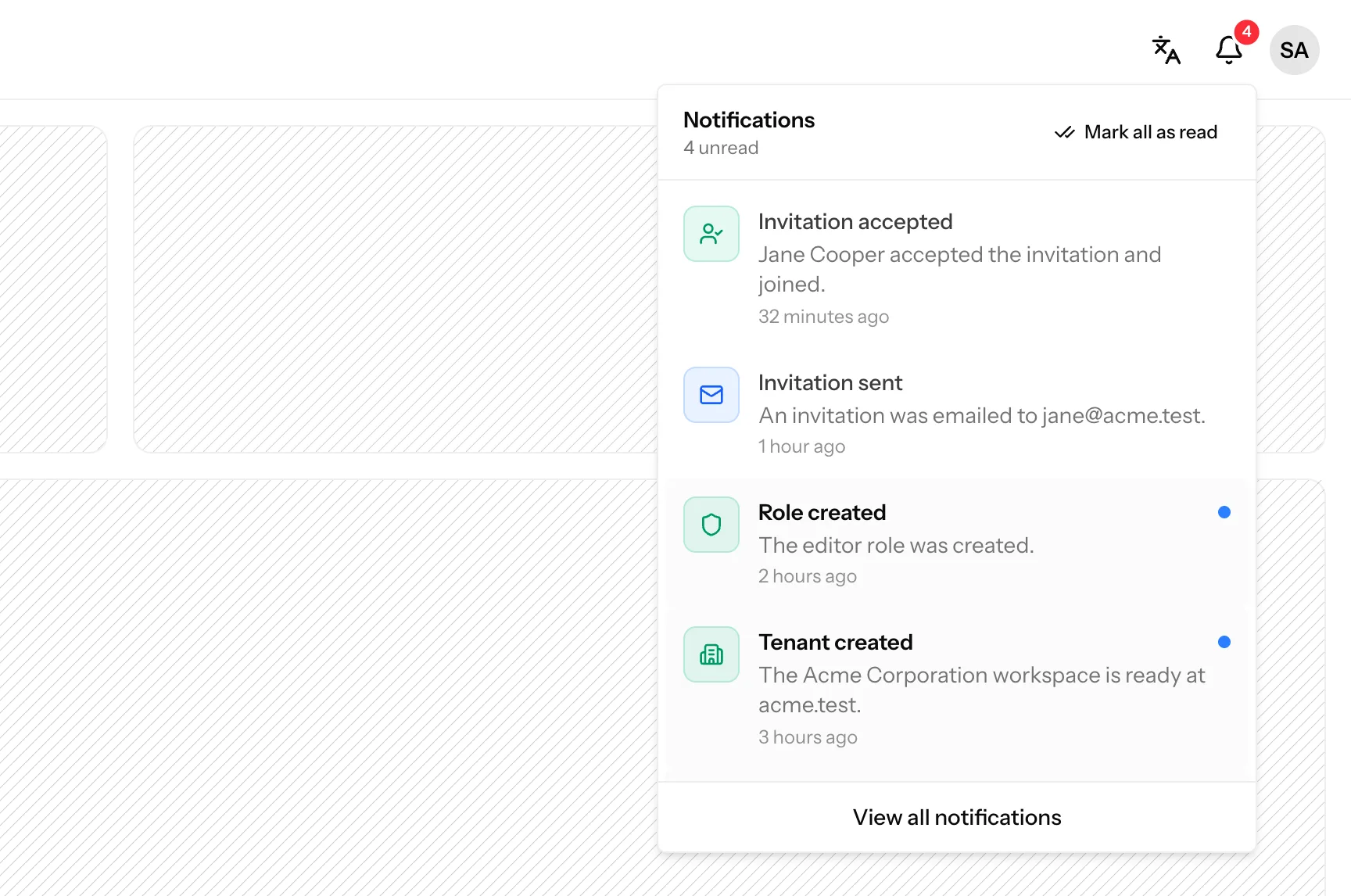
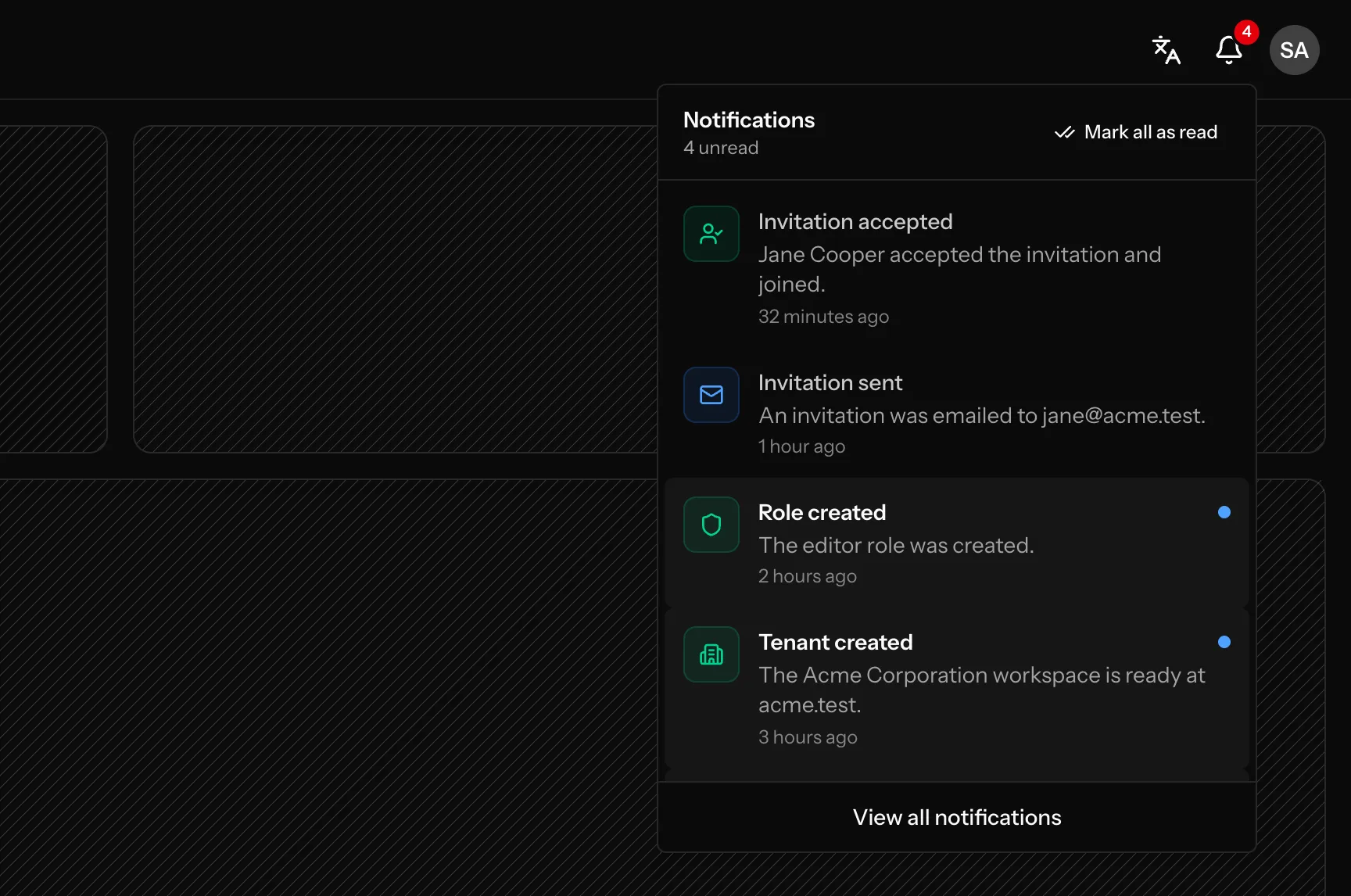
  • Header bell with an unread badge and the latest notifications
  • Notifications page with All and Unread filters, delete and clear all
  • Super admins are notified when an invited user joins
  • Send your own with one NotificationService call
  • Titles and messages translated into each user’s language
  • Language switcher and profile menu right next to the bell
Read the Notifications docs →
Keep every user in the loop: screenshot from the Vue kitKeep every user in the loop: screenshot from the Vue kit

Maintenance & suspension

Take workspaces offline safely

Switch every tenant workspace into maintenance from Setup → Tenant Settings while the central app stays online.
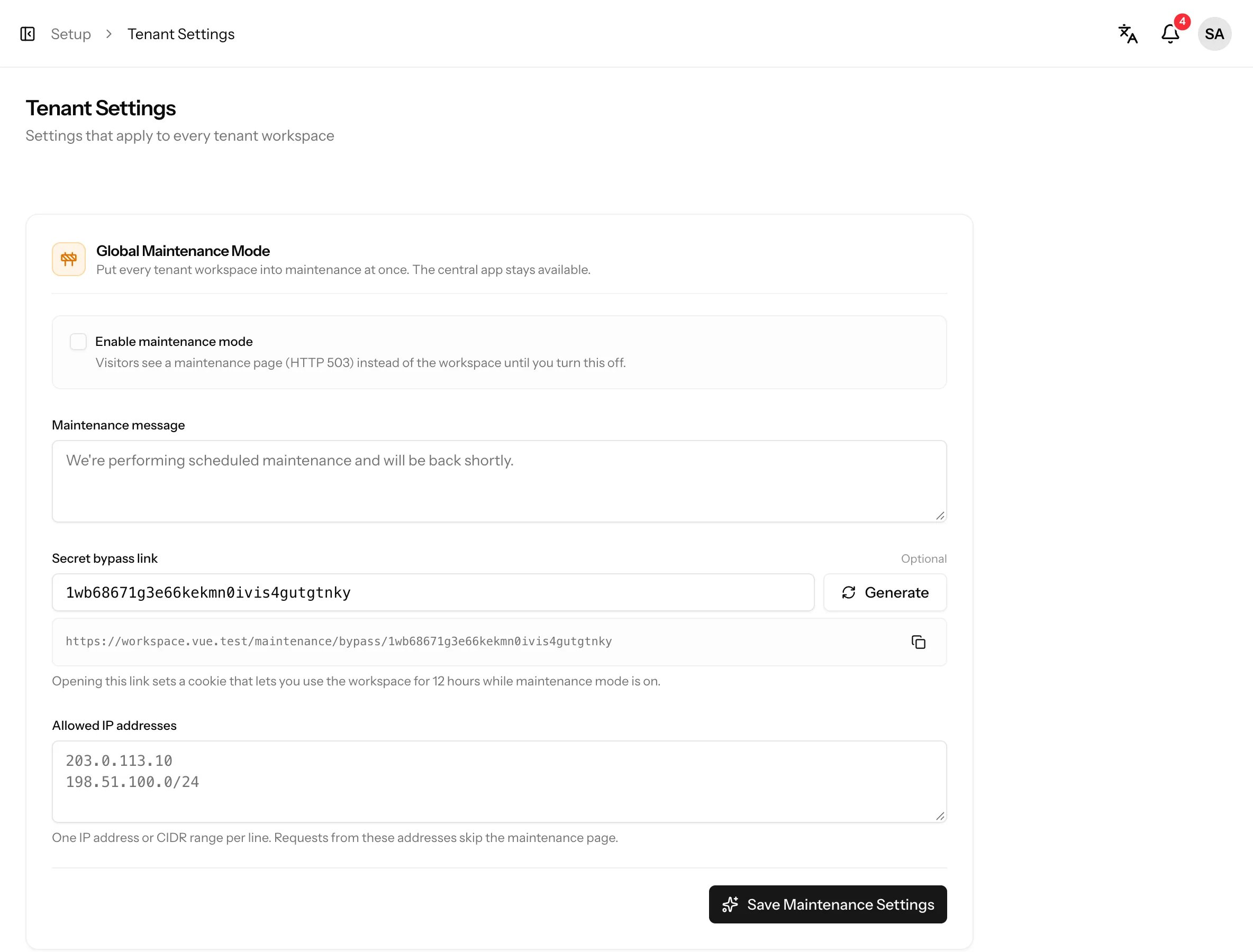
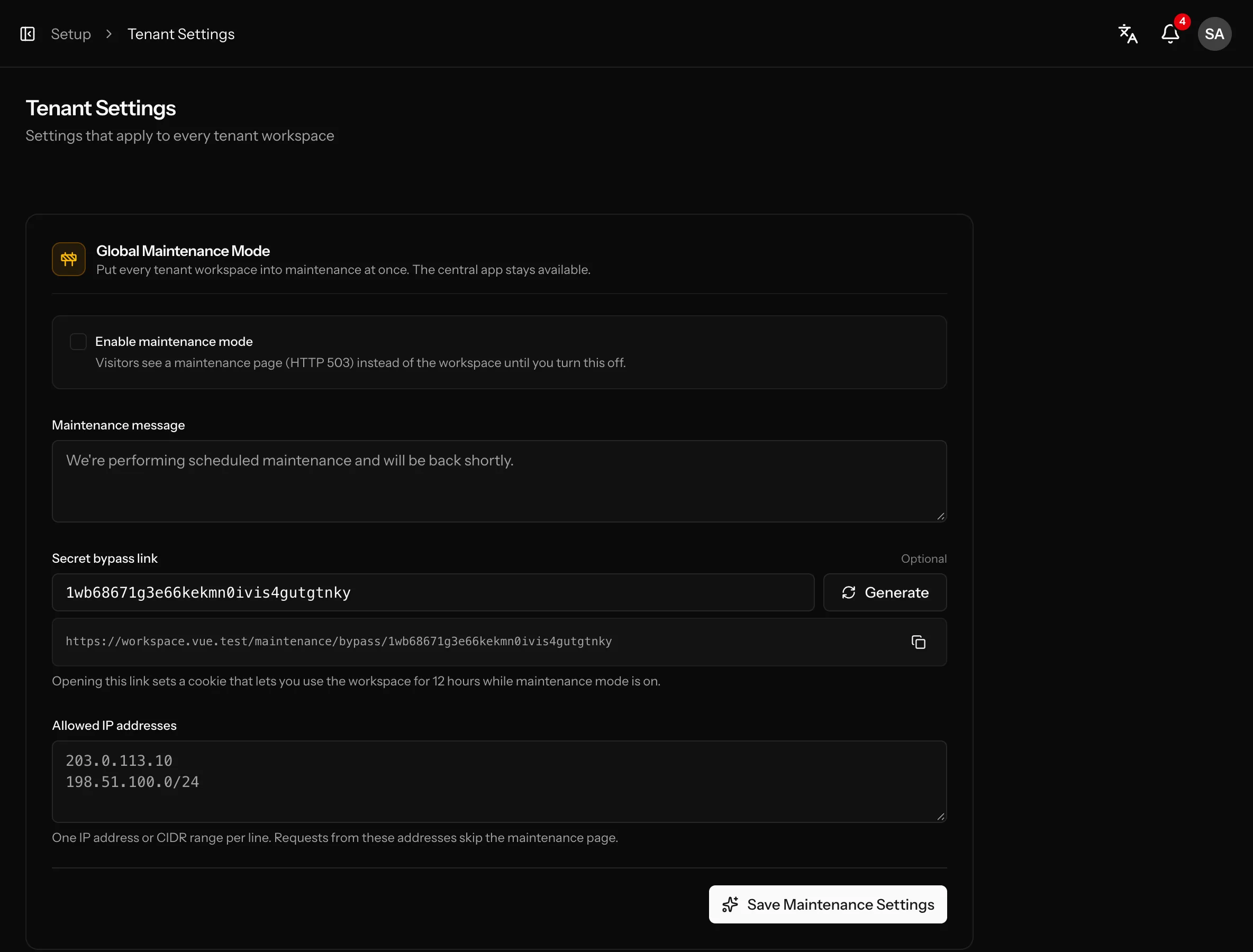
  • Custom message on an animated 503 page
  • Secret bypass link that unlocks a workspace for 12 hours
  • Allowed IP addresses and CIDR ranges skip the maintenance page
  • Tenant login stays reachable so admins can sign in and bypass
  • Suspend a single workspace with its own message
  • Suspended workspaces show a full-page notice with a default message
  • The central app stays online the whole time
Read the Maintenance & suspension docs →
Take workspaces offline safely: screenshot from the Vue kitTake workspaces offline safely: screenshot from the Vue kit

Authentication

Secure sign-in, ready to use

Laravel Fortify handles every auth flow for the central app and each tenant, and passkeys are already built in.
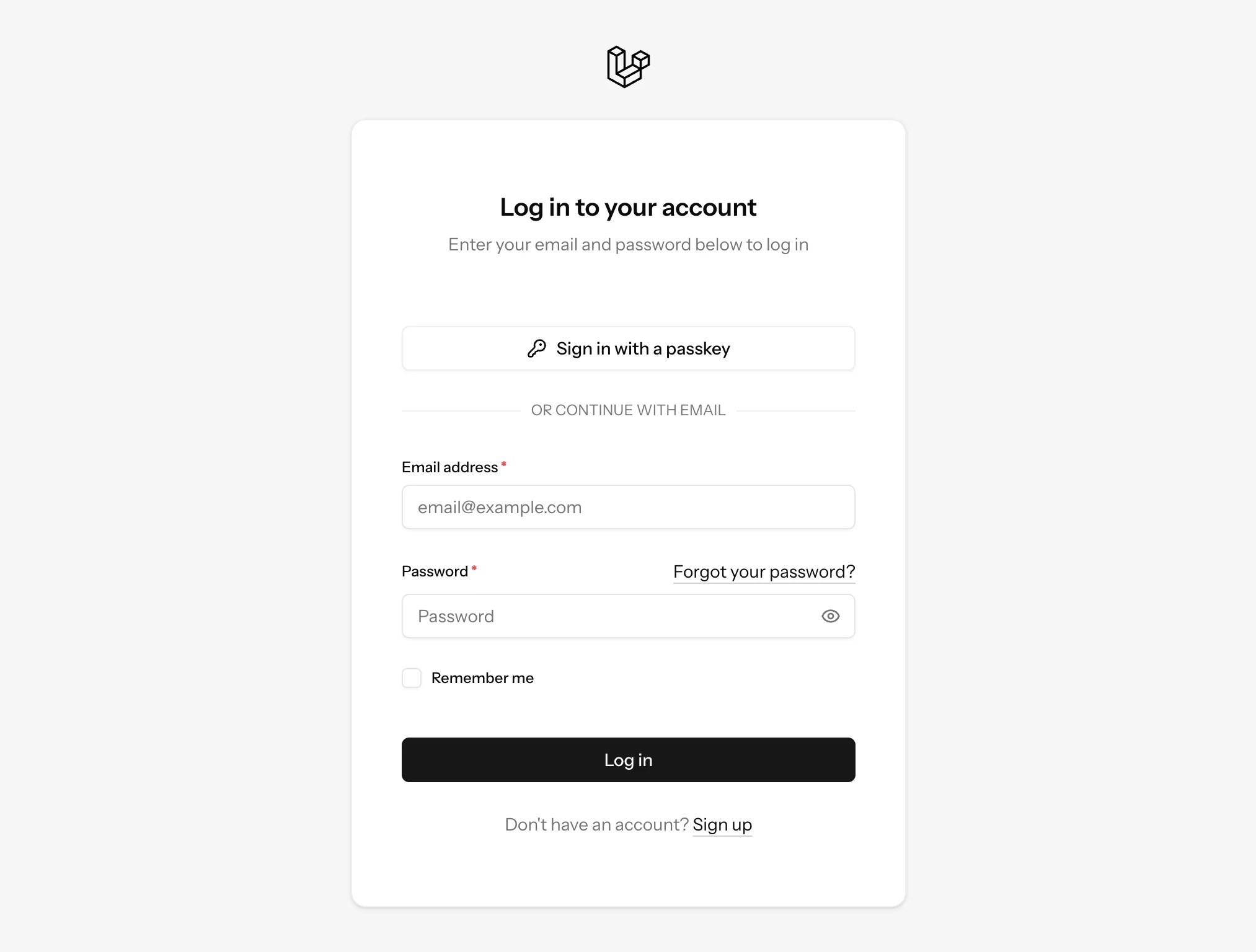
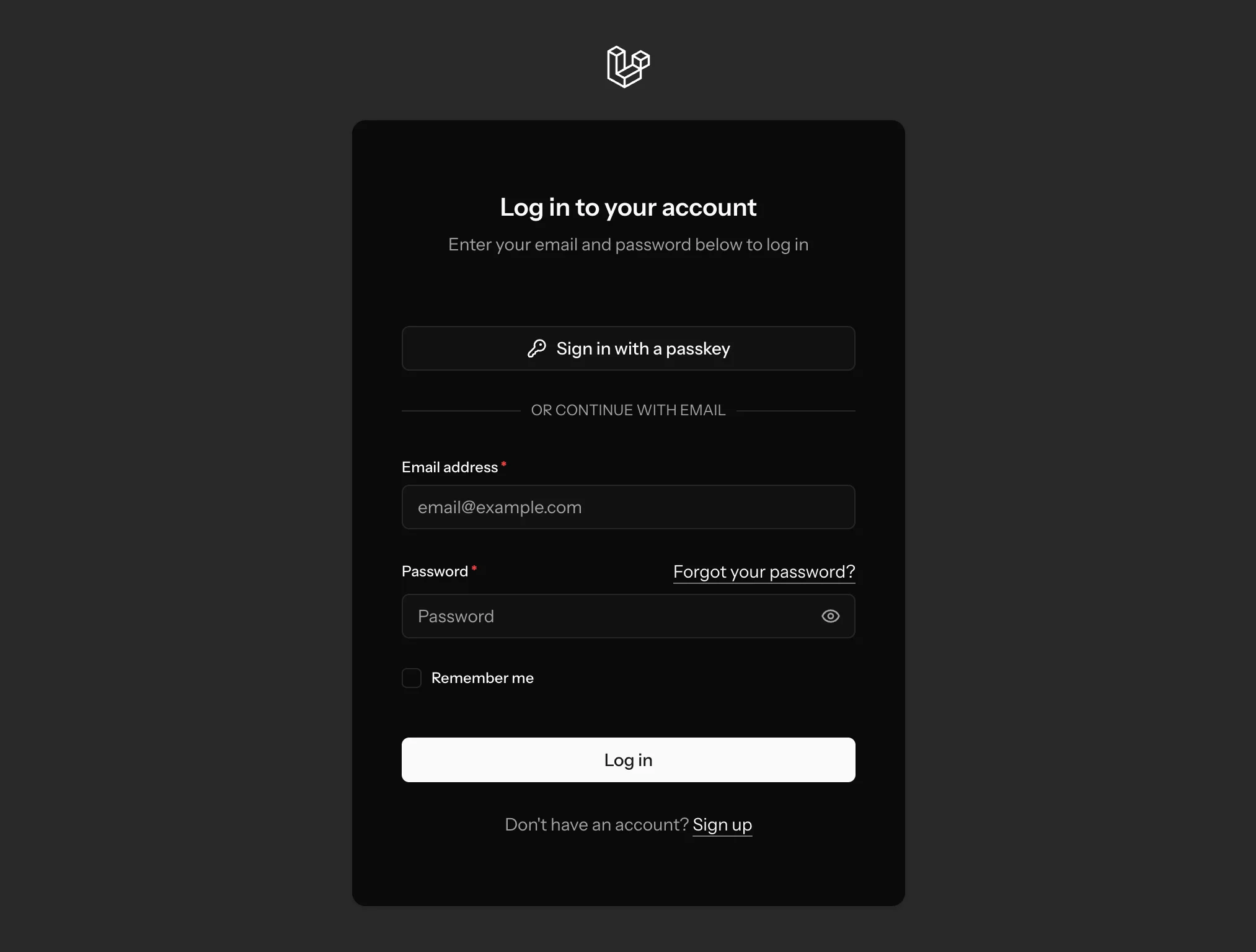
  • Login, registration and password reset
  • Email verification and password confirmation
  • Two-factor authentication with recovery codes
  • Passwordless sign-in with passkeys
  • Turn each auth feature on or off per domain
  • Profile, password and account deletion settings
  • Separate central and tenant guards and databases
Read the Authentication docs →
Secure sign-in, ready to use: screenshot from the Vue kitSecure sign-in, ready to use: screenshot from the Vue kit

Localization

17 languages, translated end to end

Every screen, menu, email and validation message is translated, and the translations reach the frontend automatically.
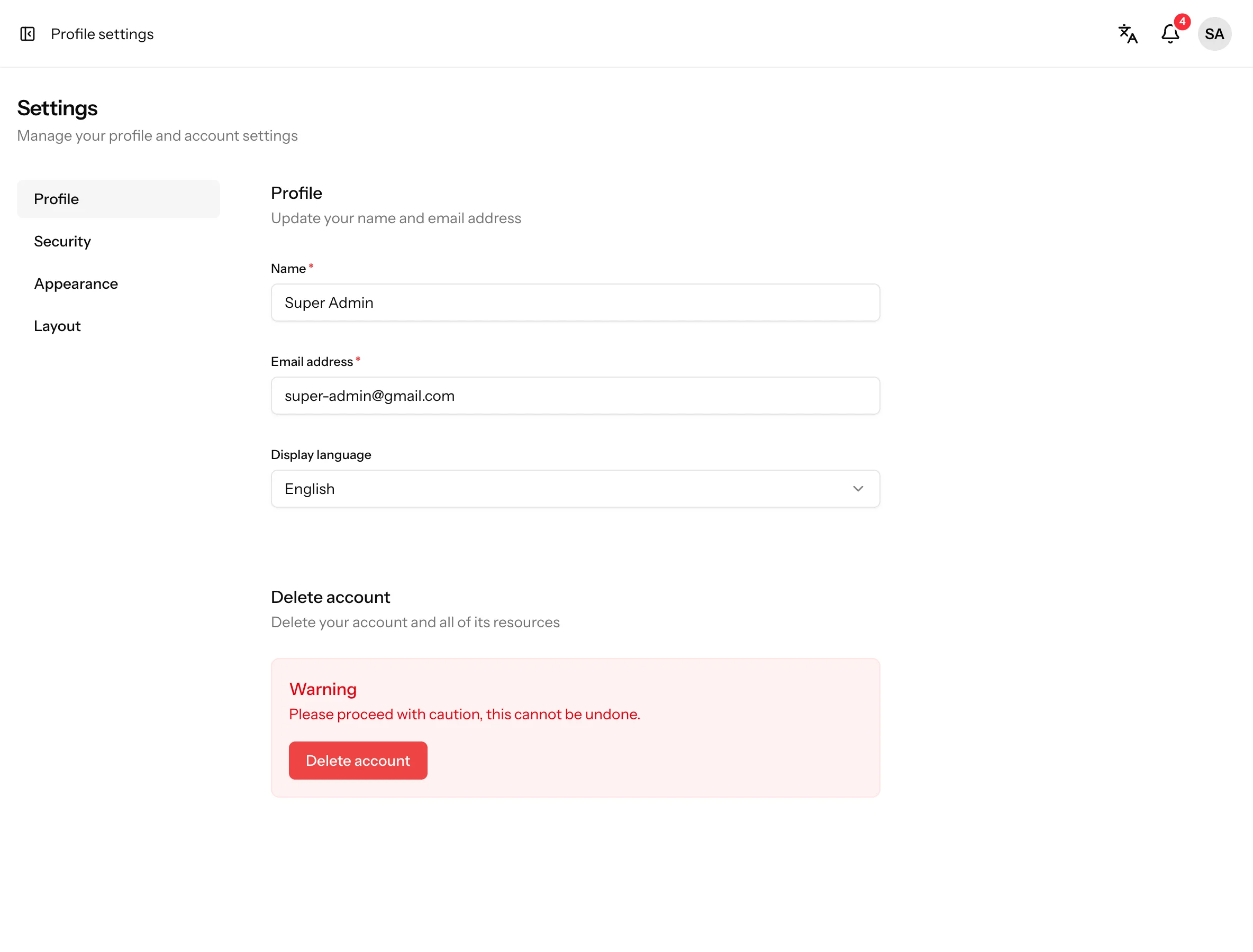
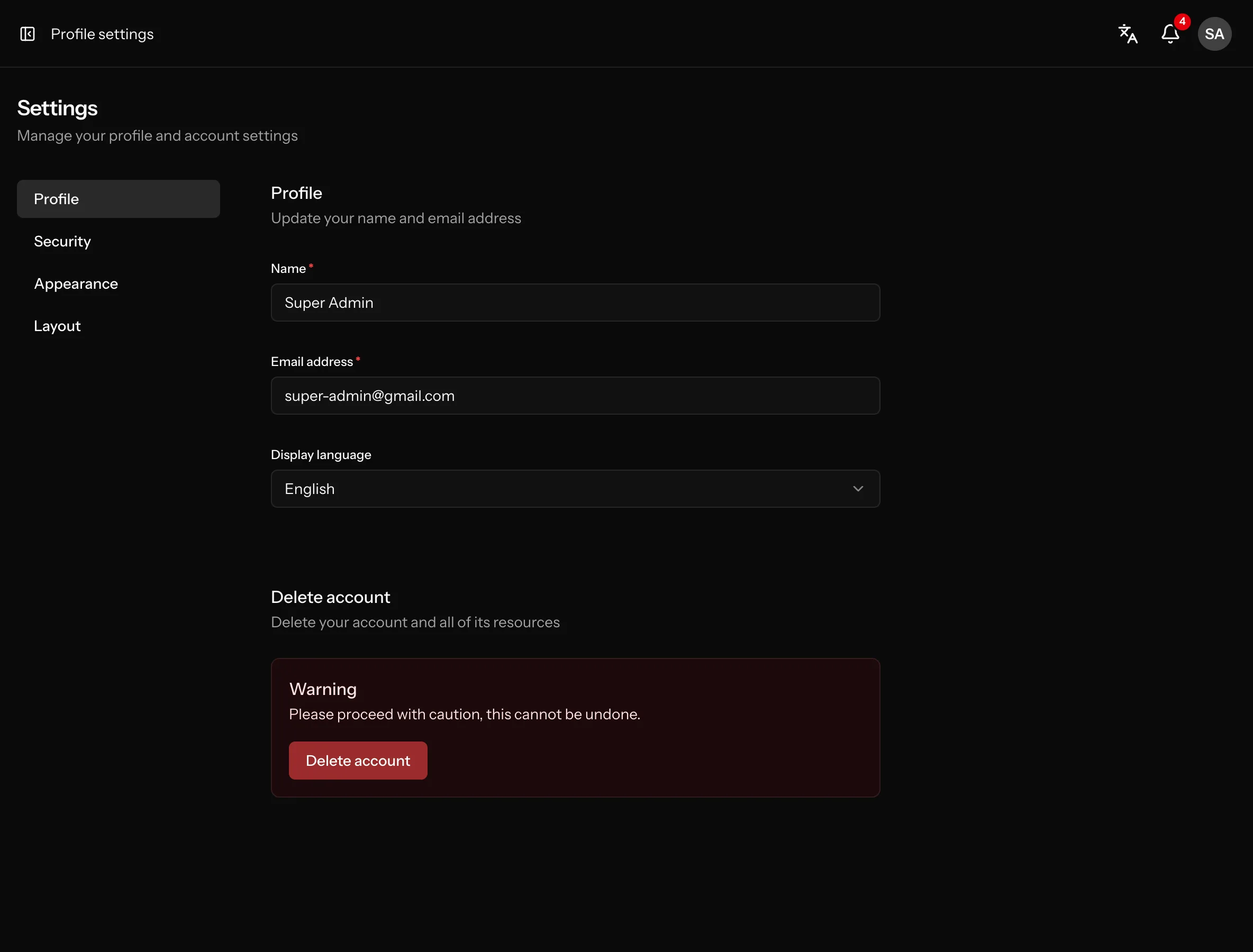
  • English, Hindi, Spanish, French, German, Japanese and 11 more
  • One translation file per feature in lang/<locale>/modules
  • Every user picks their own language from the header or their profile
  • Default language per domain, with English as the app default
  • Translated validation messages in every Data class
  • Same __() helper in Vue, React and Svelte
Read the Localization docs →
17 languages, translated end to end: screenshot from the Vue kit17 languages, translated end to end: screenshot from the Vue kit

Layout settings

System defaults, personal overrides

Set the default look for everyone from Setup → Layout Settings. Every user can then pick their own workspace layout under Settings → Layout.
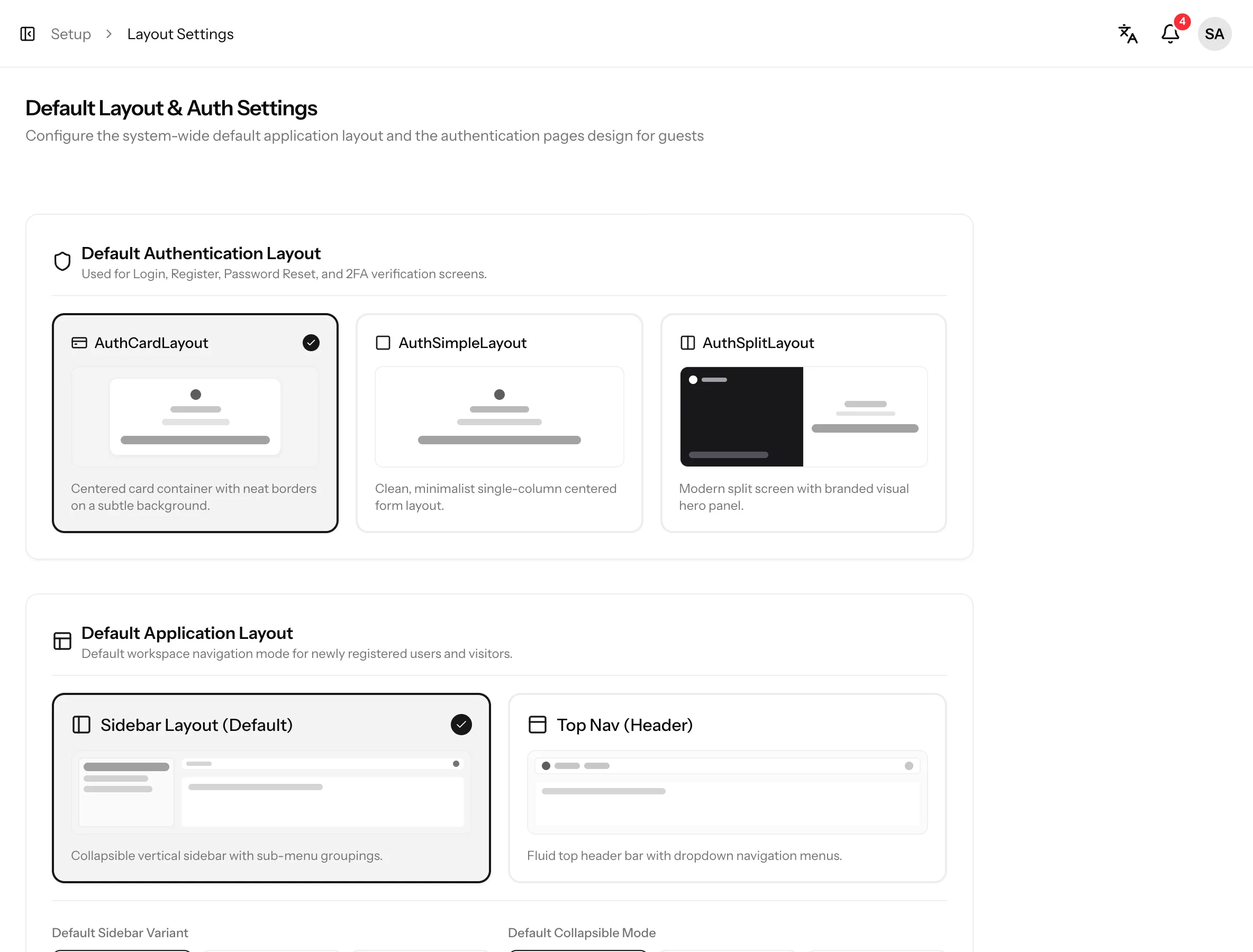
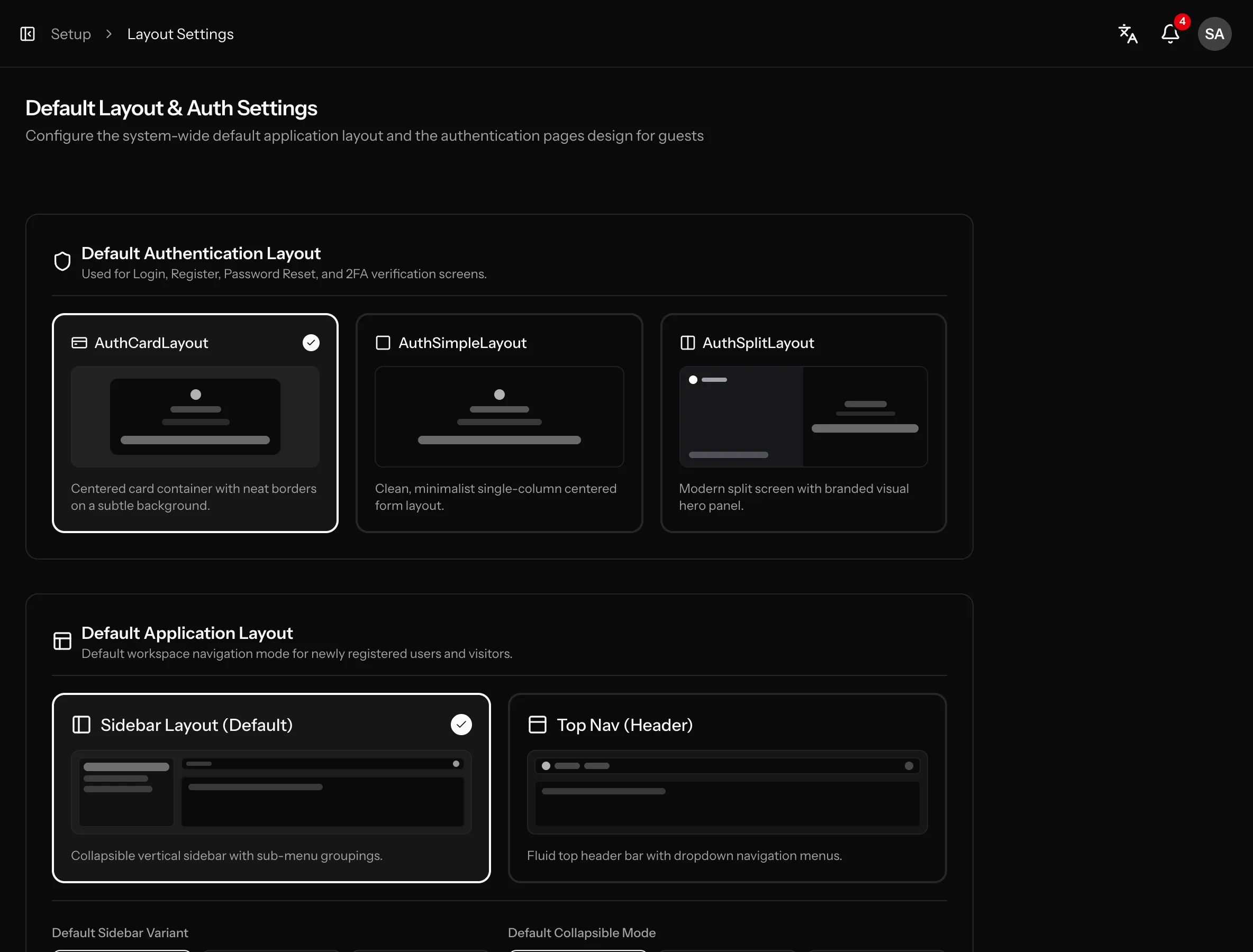
  • Default authentication layout: card, simple or split screen
  • Default application layout: sidebar or top nav (header)
  • Default sidebar variant: inset, sidebar or floating
  • Default collapsible mode: icon rail, offcanvas or none
  • Personal workspace layout for every user, saved in the database
  • Light, dark and system appearance
Read the Layout settings docs →
System defaults, personal overrides: screenshot from the Vue kitSystem defaults, personal overrides: screenshot from the Vue kit

Menus & navigation

Database-driven menus

Menus are stored in the database, so you can reorder and reshape the navigation without touching any code.
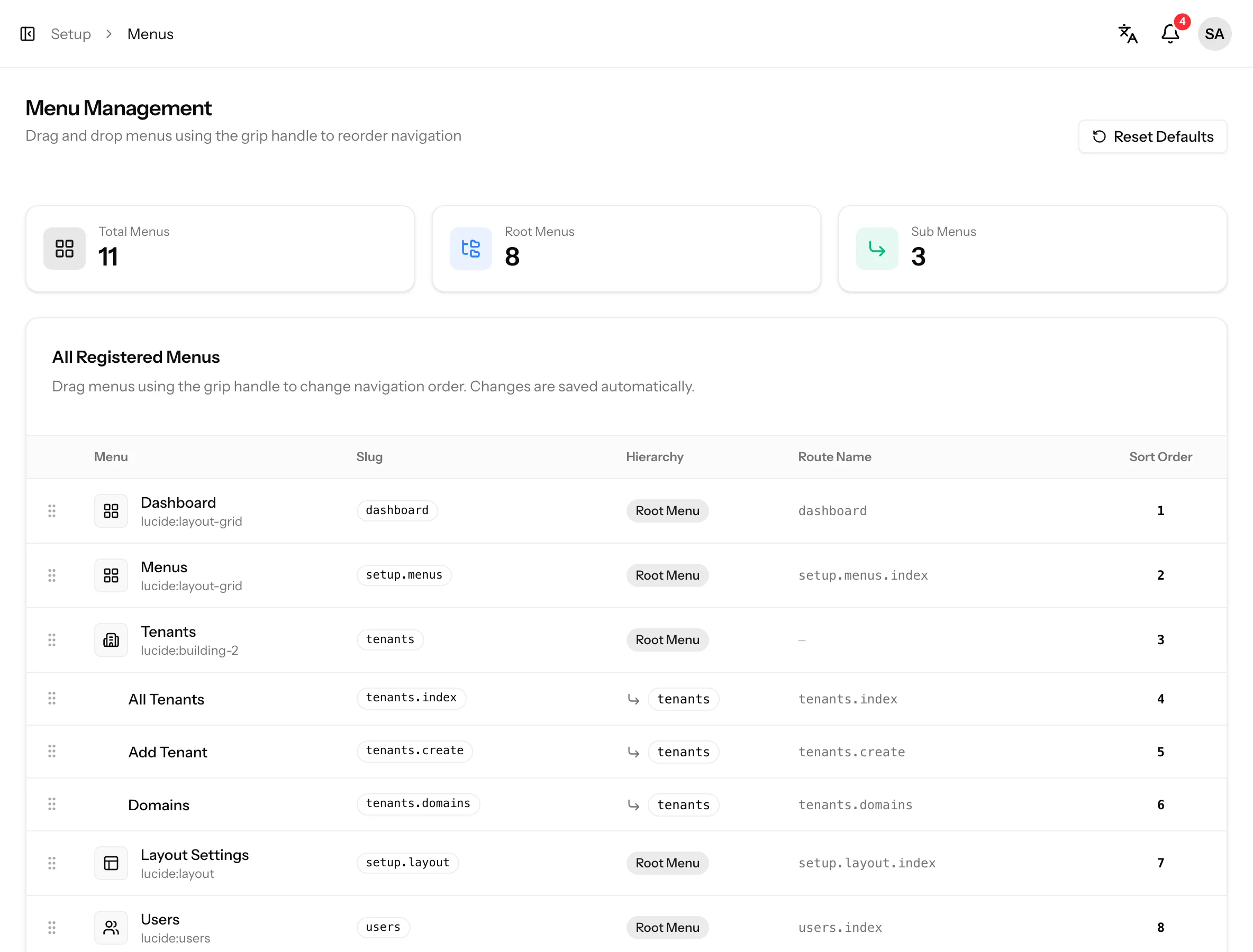
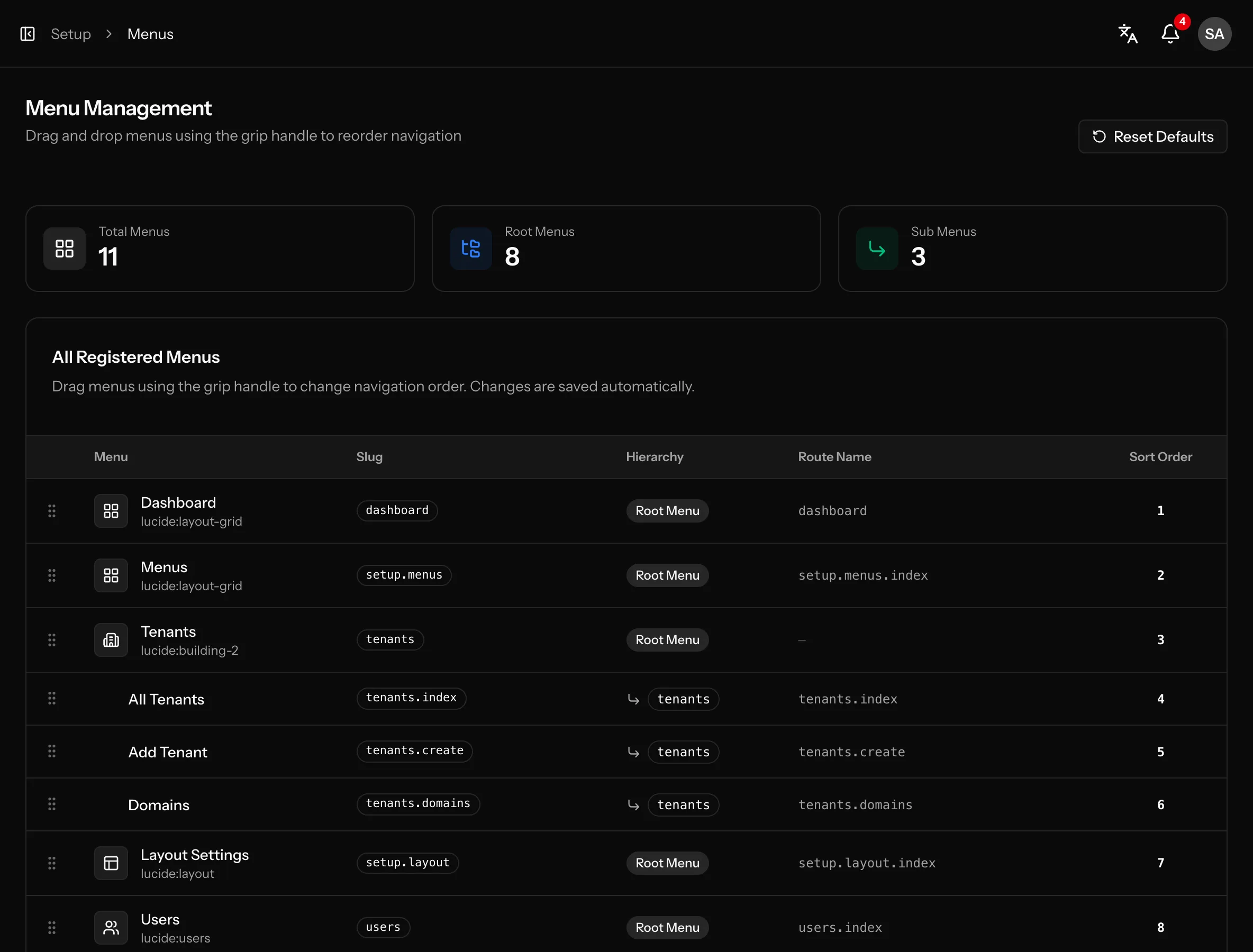
  • Drag & drop menu builder with Reset Defaults
  • Menus hide automatically when the user lacks the permission
  • Setup opens as a dropdown on hover in the top nav layout
  • Menu titles are translated into the user’s language
  • Separate menus for the central app and every tenant
Read the Menus & navigation docs →
Database-driven menus: screenshot from the Vue kitDatabase-driven menus: screenshot from the Vue kit

Friendly error pages

Designed 403, 404, 500 and 503 pages that match the rest of the app.

Typed end to end

Wayfinder route helpers and TypeScript types generated from Data classes.

Landing page

A marketing home page on the central domain, ready to customise.

AI-ready

Laravel Boost guidelines and skills so AI agents follow the kit conventions.

Customize

Clone it, own it, customize everything

After purchase you get the complete source code in a private GitHub repository. Clone it, push it to your own repository and change anything, from the logo to the tenant pipeline.

# 1. Clone your kit from its private repository
$ git clone https://github.com/the-erag/saas-laravel-starter-kit-vue.git my-saas
$ cd my-saas

# 2. Keep the kit as upstream, push to your own repo
$ git remote rename origin upstream
$ git remote add origin git@github.com:your-org/my-saas.git

# 3. Install and run
$ composer install && npm install
$ cp .env.example .env && php artisan key:generate
$ php artisan migrate --seed
$ composer run dev

# Later: pull the weekly updates
$ git fetch upstream && git merge upstream/main

Full source code

No package to extend and no locked core. Every controller, service, page and translation is a file you can edit.

Your own repository

Push the code to your private repository as origin and build your product on top of it.

Updates with one merge

Keep the kit as upstream and merge the weekly updates when you are ready.

Architecture

Three frameworks. One backend.

The Laravel code is identical in every kit. Only resources/js changes, so you learn the backend once and can switch frontends whenever you like.

Laravel 13 backendIdentical in all three kits
Modules/
AuthDashboardMenuRolePermissionSettingsTenantUser
Packages
Fortifystancl/tenancyspatie/laravel-permissionspatie/laravel-dataWayfinder
Inertia v3Server-side routing, shared props:
authlocalelanguagesmenuslayoutflash

Developer experience

Clone it and run it

We built it around Laravel Herd, with *.test domains and wildcard subdomains, so tenant workspaces work locally with no extra setup.

Two commands to run

composer setup installs everything and builds assets. composer dev starts the server, queue, logs and Vite together.

Typed routes and data

Wayfinder generates route functions in resources/js, and Spatie Data classes turn into TypeScript types.

One command to verify

composer test runs linting, type checks and the Pest suite. composer lint fixes style across PHP and TypeScript.

Agent-friendly codebase

Laravel Boost adds guidelines and skills, so AI coding agents know how the project works from the first prompt.

~/code/vue
# install dependencies, create .env, migrate, build
$ composer setup
✓ Application key set
✓ Migrations complete
✓ Assets built

# server + queue + logs + vite
$ composer dev
server Server running on http://127.0.0.1:8000
queue  Processing jobs from the [default] queue
logs   Tailing application logs
vite   VITE ready — local dev server

# lint, type check and run the Pest suite
$ composer test

Billing

Bring your own payment gateway

We left payments out of the starter kit on purpose. Every SaaS product has its own payment needs: different countries, currencies and pricing models, and a different favourite provider.

So rather than pick a provider for you, the kit leaves the billing layer open. You add the gateway that suits your business.

  • You aren't tied to one payment gateway
  • Use the provider you already prefer
  • Build subscriptions, one-time payments or both
  • The core kit stays clean and easy to change
Your billing layerPlug in the provider that fits your product
StripeRazorpayPaddlePayPalLemon SqueezyAny custom provider

Weekly updates

A starter kit that keeps improving

Your purchase includes lifetime access to the repository and every weekly update we push to it. No renewal, no subscription.

  1. 01

    Improvements every week

    We ship fixes, new features and dependency upgrades to Vue, React and Svelte at the same time.

  2. 02

    Pushed to your kit

    Each update lands in the kit repository you have access to, with a commit history you can follow.

  3. 03

    You pull when ready

    Nothing changes in your project until you say so. Merge updates in on your own schedule.

We publish updates every week. How updates work →

Testimonials

Trusted by 12+ Developers

Developers building faster with SaaS Laravel starter kits.

Sample testimonials

  • The module structure is exactly how I would organise a Laravel app myself. Thin controllers, services, Data classes — I felt at home on day one.

    Ashish SharmaFull Stack Developer · India
  • Database-per-tenant used to take me weeks. Here it was working before lunch.

    James WilsonSaaS Founder · United Kingdom
  • Our team is split between Vue and React. Having the same backend in both kits made the choice painless.

    Akash NisadLaravel Developer · India
  • I picked the Svelte kit and the components feel native, not like a port. Clean runes code everywhere.

    Emma TaylorFull Stack Developer · Australia
  • The docs explain the why, not just the how. Onboarding a new developer took an afternoon.

    Daniel CarterTech Lead · United States
  • composer setup, composer dev and I had a running multi-tenant app. The setup is genuinely that simple.

    Aditya SinghFreelance Developer · India
  • Roles, permissions and invitations are already wired. That alone saved us a full sprint.

    Michael BrownBackend Developer · Canada
  • The reusable form components keep every page consistent. I stopped rewriting inputs and buttons.

    Sophie MillerProduct Engineer · Germany
  • Per-domain branding and languages worked out of the box for our clients. Very thoughtful details.

    Annu GuptaSoftware Engineer · India
  • Typed routes with Wayfinder and generated TypeScript types — refactoring no longer scares me.

    Alex MartinIndie Hacker · France
  • I launched my MVP weeks earlier than planned. Maintenance mode and suspension were a nice bonus.

    Rahul MehtaSaaS Founder · India
  • Great developer experience overall. Pest tests, Larastan and Pint are already set up and passing.

    Lucas AndersonLaravel Developer · Sweden

Pricing

One-time pricing, no subscription

One payment gets you lifetime access to your kit's repository, and every weekly update that lands in it.

Vue Starter Kit

Laravel SaaS backend + Vue 3.5 frontend.

$29one-time

  • Lifetime access
  • Weekly updates
  • Vue 3.5, TypeScript & shadcn-vue
  • Multi-tenancy, auth, roles & permissions
  • Access to the Vue kit repository
View details for the Vue Starter Kit

React Starter Kit

Laravel SaaS backend + React 19 frontend.

$30one-time

  • Lifetime access
  • Weekly updates
  • React 19, TypeScript & shadcn/ui
  • Multi-tenancy, auth, roles & permissions
  • Access to the React kit repository
View details for the React Starter Kit

Svelte Starter Kit

Laravel SaaS backend + Svelte 5 frontend.

$33one-time

  • Lifetime access
  • Weekly updates
  • Svelte 5 runes, TypeScript & shadcn-svelte
  • Multi-tenancy, auth, roles & permissions
  • Access to the Svelte kit repository
View details for the Svelte Starter Kit

One-time payment · Lifetime access · Weekly updates included · No recurring subscription

You pay through GitHub Sponsors. See how it works →

Start Building Your SaaS Today

Pick a starter kit and pay once. You get lifetime access and weekly updates, and your next product starts with tenants, auth and permissions already done.

One-time payment · Lifetime access · Weekly updates included · No recurring subscription